The 2026 Subsplash Product Event was the culmination of a year’s worth of insights, upgrades, advances, innovations, and delight!
After 20 years of working with over 21,000 churches, one thing is clear: the tech your ministry relies on is now more crucial than ever.
You got into ministry for people, not for spreadsheets, scattered follow-up lists, or taking on the responsibilities of a tech guru. This year, we focused on building a smarter way to do the ministry you’re already doing, resolving issues, making key improvements, and bringing extra delight with forward-thinking innovations that will make your tech experience easier than ever.
This year, our team walked through the tools that took on more of that work, celebrated six churches at the second annual Subsplash Awards, and gave a sneak peek at two upcoming releases. In case you missed it, check out the must-see 2026 Product Event recording below!
Latest releases & updates
1. The smarter way to understand your ministry
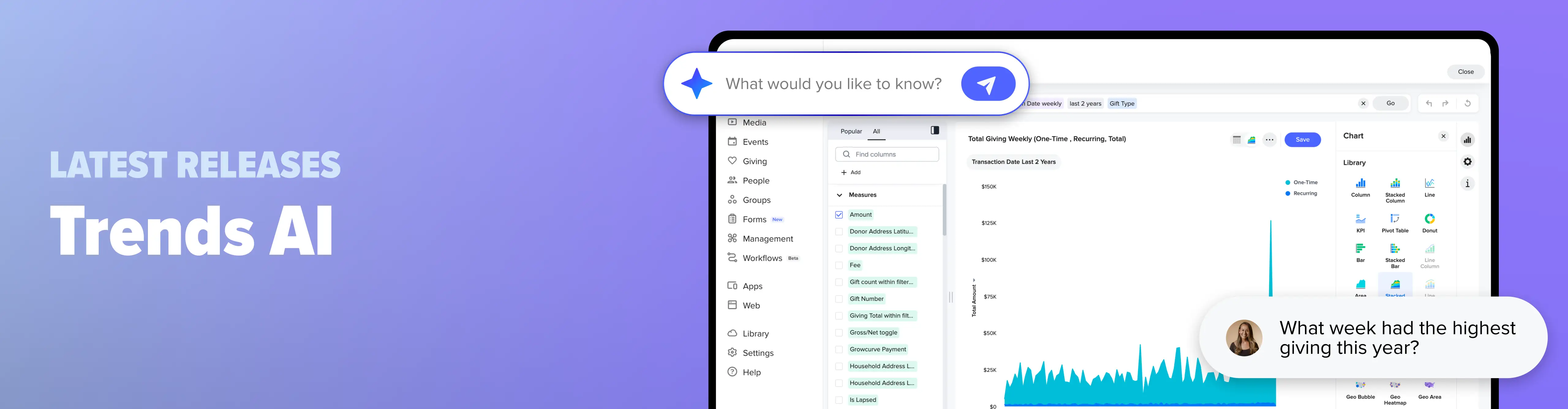
Your church is sitting on a lot of data, and getting answers out of it has usually meant exporting a spreadsheet and building charts by hand. Trends AI launched earlier this year, allowing you to type a question in simple language, like “Which week had the highest giving last year?”, and immediately receive an up-to-date chart and analysis back.
Trends AI pulls from across the Subsplash Platform, including giving, campaigns, people, event attendance, groups, and media. That data refreshes overnight, so a chart you built three months ago already reflects what happened last Sunday. If you keep numbers somewhere else, you can import them as a CSV and chart those too.
The custom chart builder offers more than 25 visualization types. Create a chart with an AI prompt or build one yourself, then pin it to as many dashboards as you want. Maybe your elder board gets one, your pastor gets another, and your finance team gets a third. Whatever the need, Trends AI offers immediate and accurate insights.
2. The smarter way to gather your people
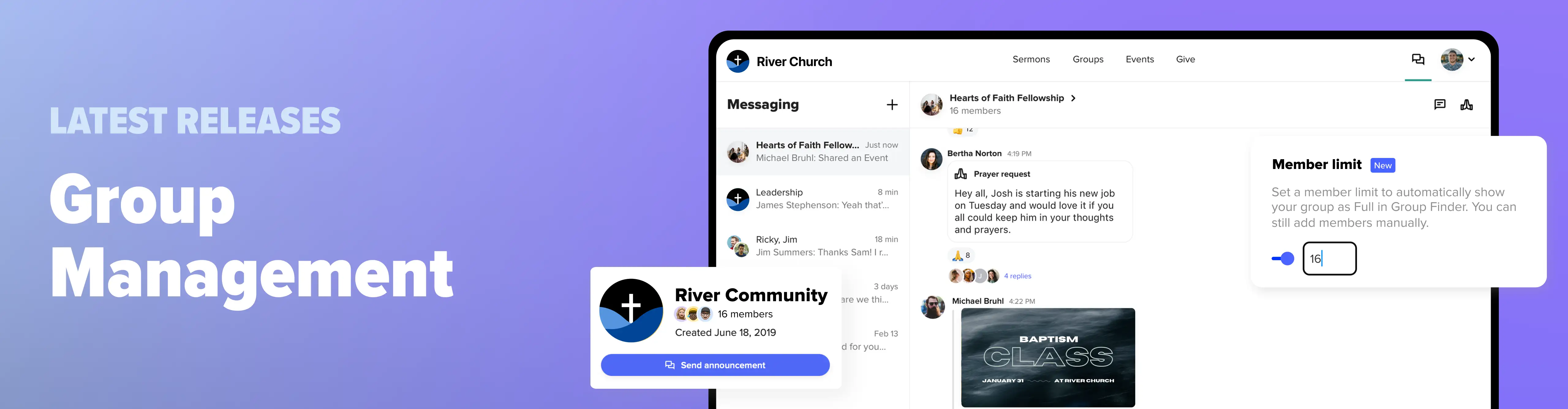
Group Management takes connection beyond Sunday, and this year we gave leaders more ways to shepherd them. Group leaders can now create one-time or recurring events right from the app, even if they don’t have dashboard access. The event posts to the group chat and appears on the group calendar, so nobody has to scroll through forty messages to find out what time small groups start.
Attendance is linked to those events. Leaders take attendance in the app after each gathering, and staff can see attendance and analytics for a single group or across all groups, including year-over-year and quarter-over-quarter comparisons.
We also added member limits. When a group reaches its number, it’s automatically marked as full, pauses new signups, and hides it from the group finder by default. Leaders can still add people manually. Group finder embeds are now customizable too, so your women’s ministry page can show only women’s groups, and you can preview the result before it goes on your website.
3. The smarter way to follow up
In 2025, we announced Workflows in open beta, and that AI building, automations, and notes were on the way. All three are now here!
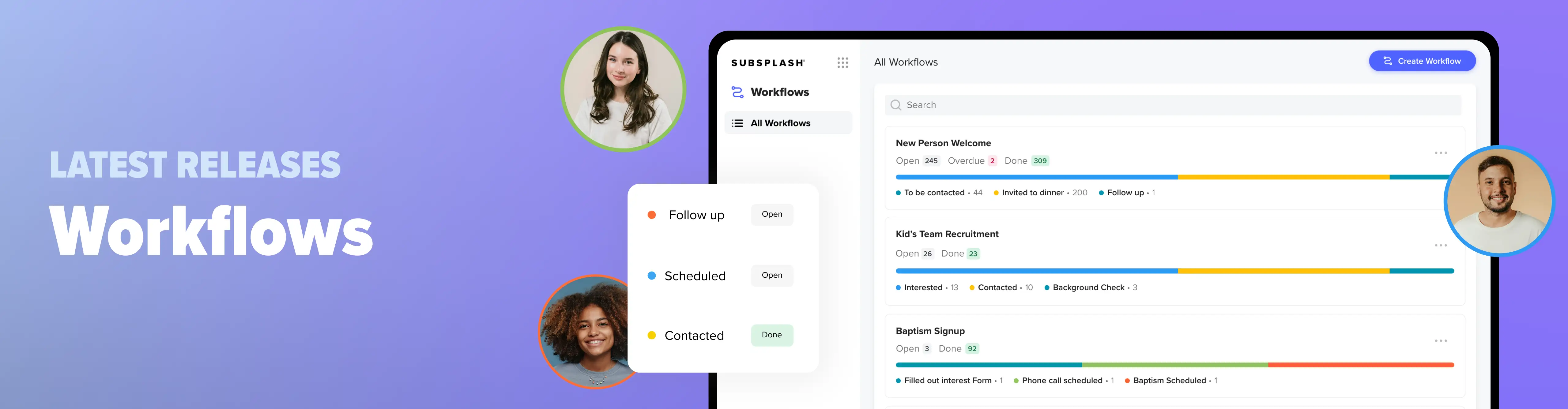
A workflow is like a whiteboard with a column for each step in a process and a card for each person or project moving through it. Connect a form, such as a connect card or volunteer interest form, and a card appears in step one the moment someone submits it. Add an automated email to any step, and a welcome message with the person's first name can go out before they’ve left the parking lot. Each card keeps a timeline of who moved it, which tasks were checked off, and which emails were sent.
The AI workflow generator builds a process from a plain-language description. During the event, our attendees voted on what to build live, and “welcoming new people” won with 43% of the vote. In a live demo the generator produced a four-step visitor follow-up workflow in seconds, and we connected it to a form so it only creates a card when someone answers “this is my first time.”
Just who and what is Workflows for? Workflows is built for automated church work management that encompasses groups of people (like new visitors and volunteers), email automations, tracking engagement, managing prayer requests, and more.
Workflows also handles projects, like room requests, event preparation, and design and marketing requests. And with the AI workflow generator, a new workflow can be built in under five minutes! The possibilities are boundless for your ministry needs.
Subsplash Awards winners
Subsplash Awards are given to churches that have gone above and beyond using the Subsplash tools and resources to make the biggest impact for the Gospel. This year, we announced the six winners of the second annual Subsplash Awards live, and every winner received a physical award. Check out this year’s award winners and their amazing ministry impact:
- Park Chapel won the Community Award for its sports ministry serving thousands of families, and One Community Church won the Design Award for an app used by more than 11,000 people every month.
- One Community Church took first place for the Community Award for their influential sports ministry that impacts thousands of families in their community.
- Leave a Mark Church received the Outreach Award for the Care Box in its app, where members can anonymously ask the church to follow up with someone who needs care.
- The Corners Chapel took home the Emerging Award with eight times more app downloads than attendance.
- Eagle Christian Church won the Generosity Award after raising about $88,000 in one weekend and reaching a statewide goal that cleared more than $29 million of unpaid medical debt in Idaho.
- Canvas Church garnered the Innovation Award for custom app pages that keep the whole experience inside the app.
Check out the full breakdown of the 2026 winners and runners-up.
Platform enhancements you’ll love
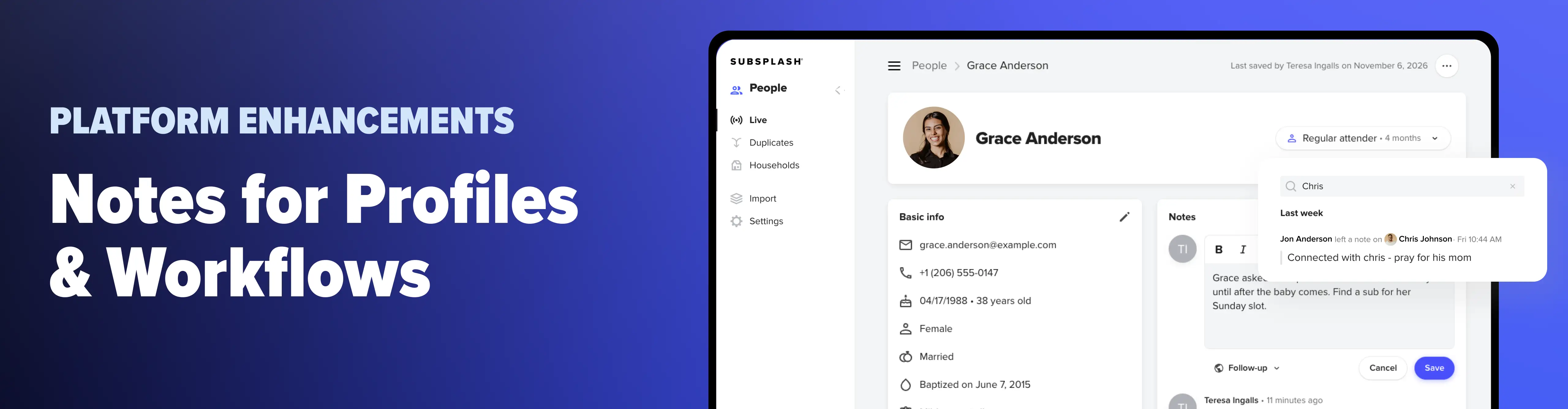
1. Notes on Workflows & People profiles
Get excited—the update admins have waited for is finally here! As a pastor, church leader, or administrator, much of what you know about your people lives in your head. Notes lets you save a note on a workflow card, on a profile, or both at once. Workflow notes use rich text, carry a timestamp, and show who wrote them.
Some conversations need to remain private. Create note categories and choose which staff can view each one, so your most sensitive pastoral notes stay with the people trained to handle them. A new notes page lets you search every note you have permission to see, which helps when you can’t remember who expressed interest in serving with kids ministry.
Church admin often rely on spreadsheets, scattered post-it notes, and connection cards with little details scribbled on them around the office. But with Notes, your church can forget about the chaos and add every necessary detail in real time, view a profile’s history, add an update, and keep everyone on track without the paper mayhem.
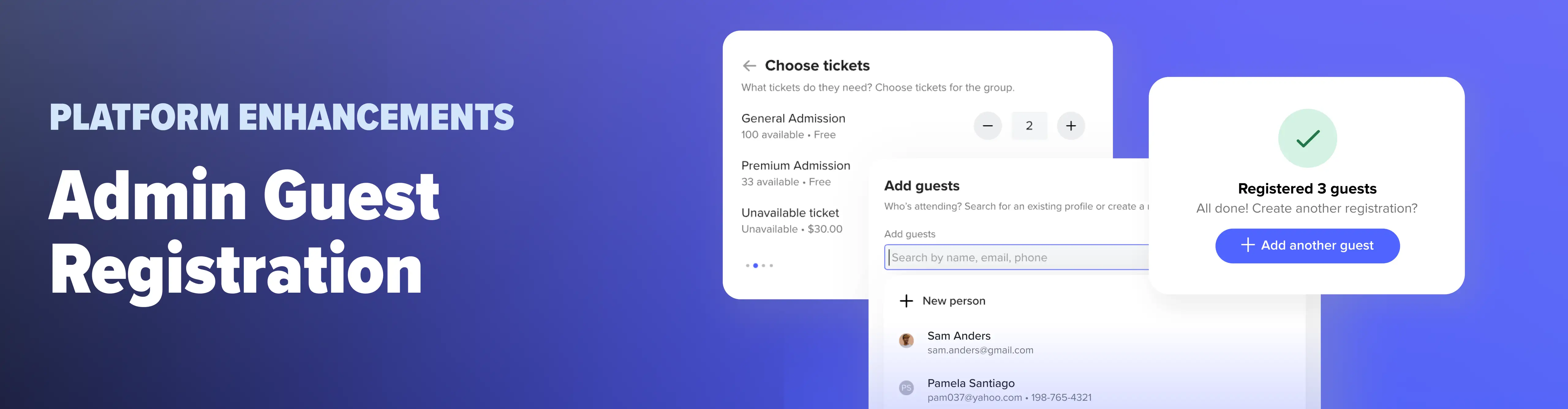
2. Admin Guest Registration
Not everyone follows the signup flow your team created, which is why you’ll love this new feature!
A parent calls Thursday afternoon to add two more kids to camp. A guest walks up the morning of a conference with a check in hand and asks if there’s still room. Those registrations used to land on a clipboard or in a spreadsheet, separate from your online sign-ups. With Admin Guest Registration, your team can add them right from the dashboard, whether the guest calls the office, hands in a paper form, or shows up at the door.
Admins also get a few tools built for a busy check-in table. You can reach hidden tickets and sold-out events for last-minute arrivals and override a registration cap when leadership says to add someone anyway. If a guest’s profile is missing a phone number or email, you can fix it inline without leaving the registration window. Payments with unusual balances are flagged so they’re easy to track.
Walk-ups, phone calls, and paper forms now land on the same guest list as every online sign-up. Open any event in your Subsplash Dashboard to try it, and assign the Events Manager role to the volunteers staffing your table.
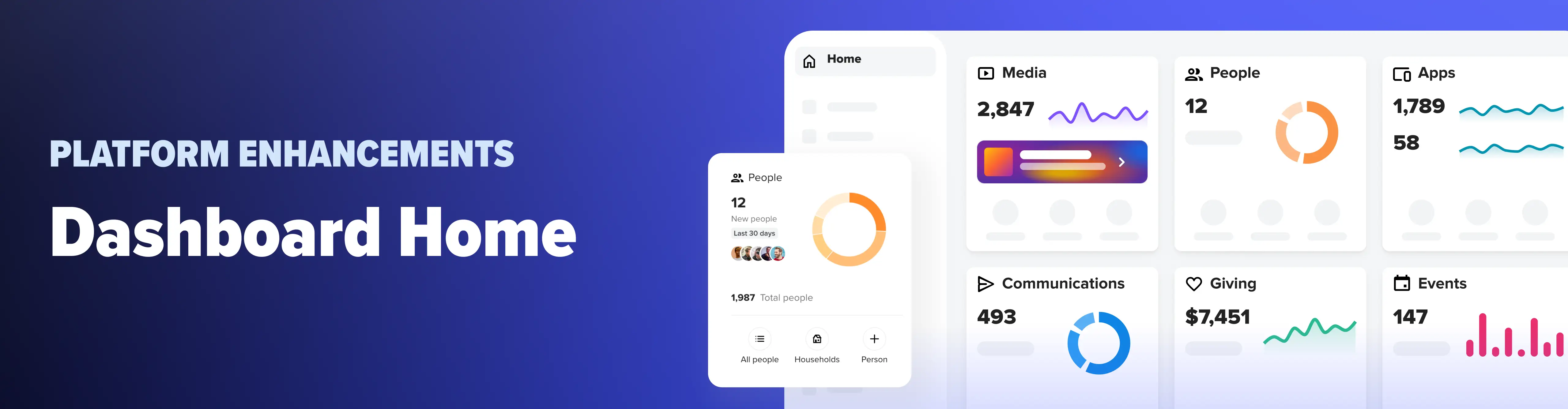
3. Dashboard Home
The Subsplash Dashboard is the home base where church staff manage everything on the Subsplash platform, from the app and website to giving, media, events, and groups. And for current Subsplash customers, we’re so excited to have rolled out a new update to the Subsplash Dashboard!
The newly redesigned Dashboard Home is built from cards for media, people, giving, events, and groups, all in one view. Each card shows the last thirty days of activity, a trend line, and all-time totals.
Cards also include shortcuts to the pages you use most—adding a new person, uploading new media items, and so much more. If you haven't adopted a tool yet, its card points you to the first step. This is the Subsplash Dashboard of your dreams, come to life!
4. AI People Assistant
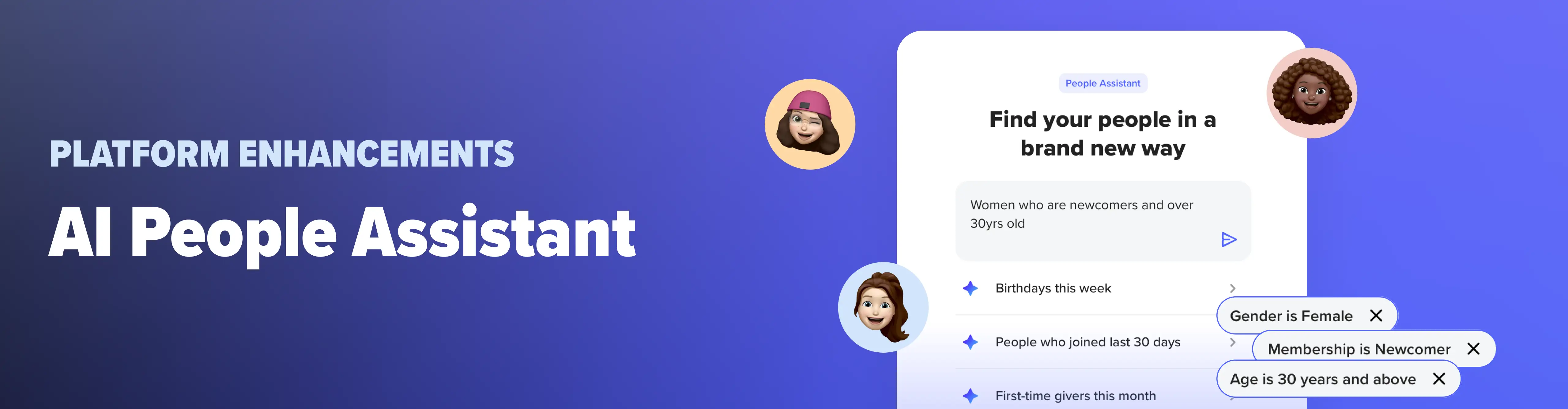
Finding the right people by adding filters can be difficult. If you don’t know where to begin, or you have a specific request, you can now turn to AI People Assistant for help. Just as it sounds, this AI people filtering is here for you in many ways: to answer your questions, provide important insights without you having to dig around, and offer immediate support when you’re pressed for time.
Skip the filters and ask in plain language. Type something like “first-time givers this week,” and AI People Assistant builds the list for you. It searches contact and demographic information, custom profile fields, giving status, group membership, and more.
From the results, you can open profiles or send an email right away, like a thank-you note to a first-time donor. Think of AI People Assistant like your personal Subsplash assistant, an extra employee working overtime, ready to help and offer insights as needed, around the clock.
5. Transfers & Funds
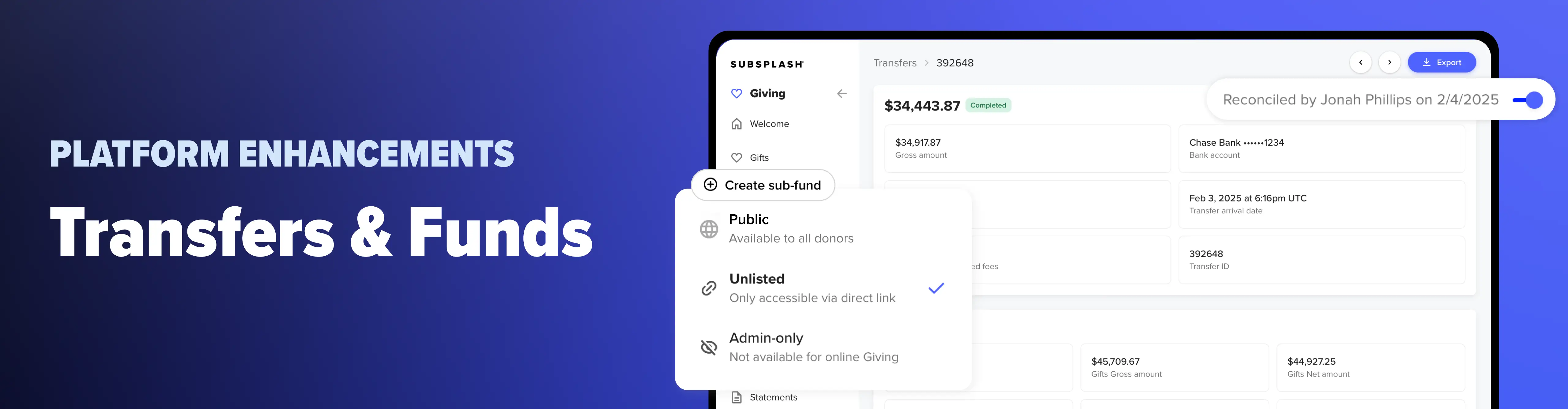
The Transfers page was rebuilt so each transfer matches one deposit in your bank account. Once you've checked a transfer, you can mark it reconciled, and Subsplash records who did it and when. Funds and sub-funds also have a new unlisted setting. An unlisted fund stays off your main giving page, but anyone with the link can give to it, which works well for a campaign you aren't ready to announce.
6. Third-party integrations
We launched two major integration upgrades this month. With Rock RMS, you can use Subsplash for event registrations and transaction entry, with better mapping of fees, funds, and profiles plus automated group syncing. With Planning Center, you can sync automatically on your schedule or manually with a click, see every sync success and error on the integration page, and match and relink profiles.
New & exciting Subsplash updates coming soon!
1. Subsplash Intelligence
The biggest Product Event drop is here—and everyone’s talking about it!
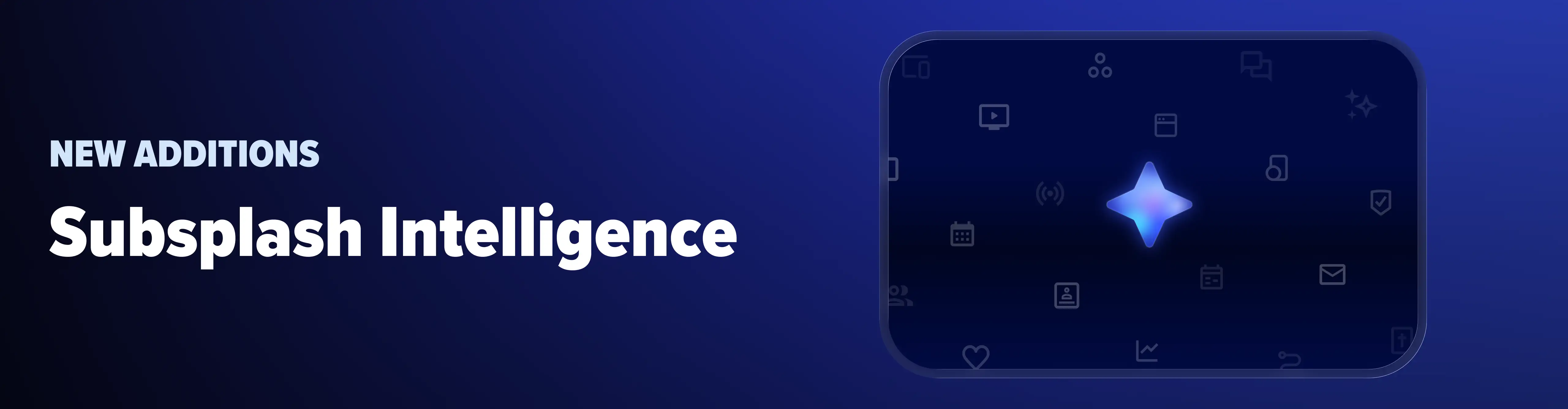
Subsplash Intelligence is coming in early 2027. To put it simply, Subsplash Intelligence is the AI that already knows your church. This update will firstly begin with Subsplash Media, allowing users to enter queries like, "When was the last time I preached on stewardship? How have I defined the Trinity in the past? Which illustrations have I used in my sermons too many times?” Subsplash Intelligence will search across your entire Media library, providing instant accurate insights in real time. Answers come from your own preaching and point to the exact sermon.
Starting with Media, everything you love about Pulpit AI is included. That means creating more than 20 pieces of content from a single sermon, such as clips, discussion guides, devotionals, newsletters, and blogs.
After Media, we’re taking Subsplash Intelligence across the platform. You’ll be able to ask questions about people, groups, and events, create emails, events, and forms with a prompt, and add people to households or groups. It follows the permissions you already have as a user.
Stay tuned for 2027!
2. Subsplash Communications
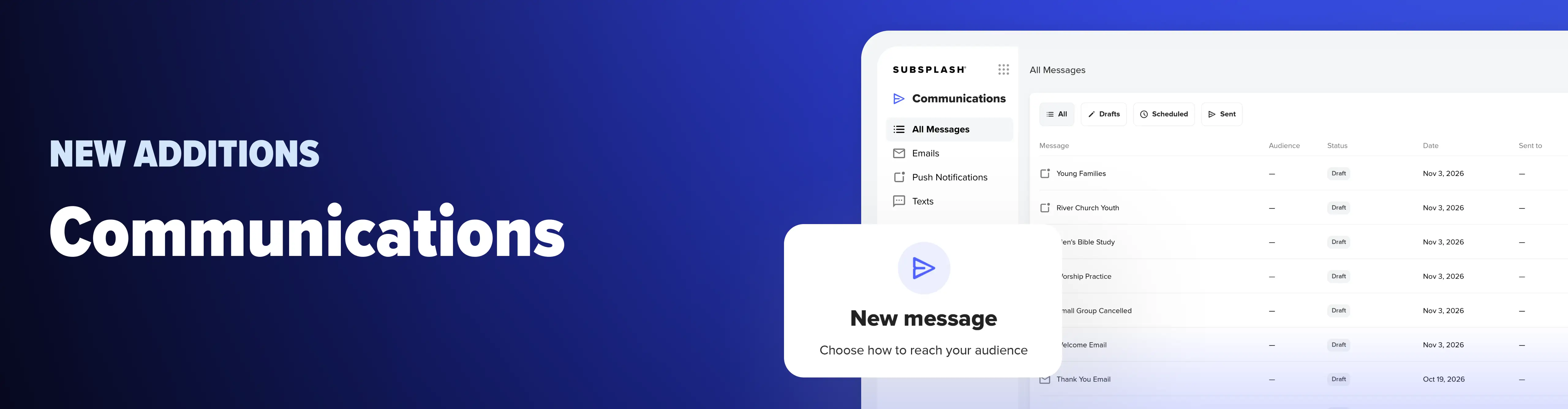
Subsplash Communications brings email, push notifications, and text messages into one hub in your Subsplash Dashboard. Choose a message type, pick your audience, build the message with the same editor you've used in Workflows, then send now or schedule it. After it goes out, you can see who opened and who clicked.
Audiences mix static contact lists, dynamic lists based on filters, form-automated lists, group members, and event guests. Subsplash removes duplicates, so someone who attended an event and belongs to a group gets one email, not two. Communications is coming in December 2026, and Subsplash One clients get early access with unlimited messages.
Your ministry working smarter, not harder
Over 21,000 churches and organizations partner with Subsplash for their ministry. We’re proud of how much your team can hand off to Subsplash now, and we’re even more excited about what’s next, with Communications arriving in December and Subsplash Intelligence following in early 2027.
Thank you to every church that shared its story with us this year, and congratulations again to our six Subsplash Awards winners. It’s a joy to partner with you in ministry. We wish you a happy Thanksgiving and a Merry Christmas, and we hope these tools lead your church into the new year with excitement, innovation, and Gospel impact!
Ready to see how Subsplash can help your church do more in 2027? [.blog-contact-cta] Schedule a free demo today to learn more[.blog-contact-cta].
Already using Subsplash? Connect with your Client Success Manager to explore the platform’s full potential. Your church might be a 2027 Subsplash Awards winner!