






If you manage giving reconciliation at your church, you already have a system. Maybe it’s a spreadsheet where you track which deposits you’ve verified. Maybe it’s a folder of printed bank statements with handwritten checkmarks. Maybe it’s from memory: you remember where you left off last week, and you hope the person covering for you during vacation will too.
Those systems work until they don’t. A board member asks who reviewed last month’s deposits, and nobody can say for certain. A new bookkeeper takes over midyear with no way to tell what’s been reconciled and what hasn’t. The process that lives in one person’s head becomes everyone’s problem the moment that person is out.
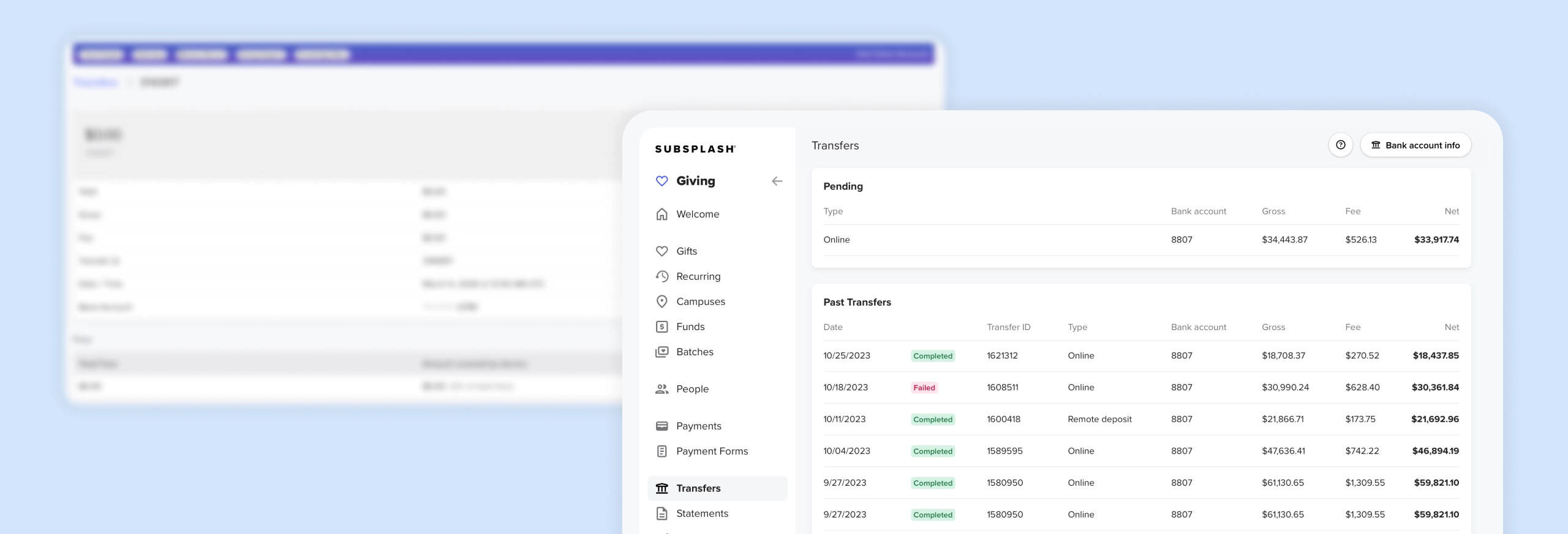
We built reconciliation tracking directly into the new Transfers page, so the process lives where the data already does.
See every detail of every deposit
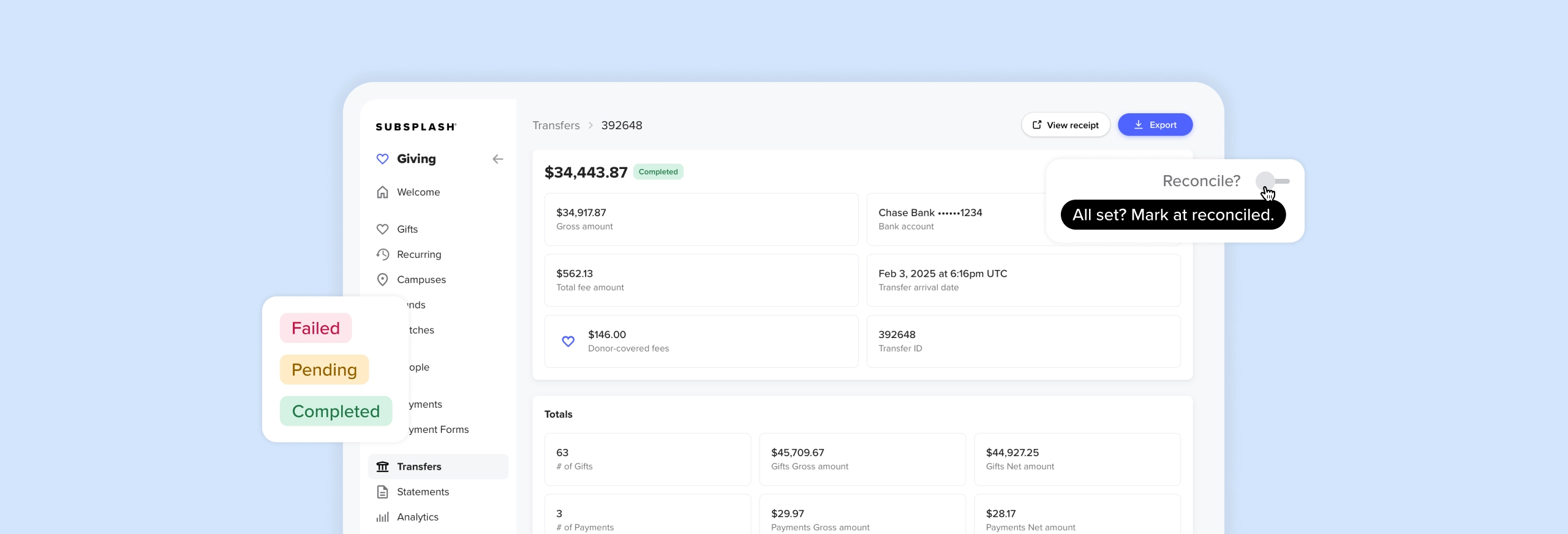
Open any transfer on the Subsplash Giving Transfers page and the full picture loads on one screen:
- Totals for donations & payments
- Fees and donor-covered fees
- Fund breakdowns
- Any balance adjustments like GrowCurve rebates.
In the individual transaction list, color-coded status badges flag payments, refunds, and more at a glance.
When you've confirmed a transfer against your bank statement, mark it as reconciled right from the detail view. The next time you or a teammate opens that transfer, you'll see who reconciled it and when. No separate spreadsheet, and no guessing whether someone already reviewed it.
Know where you stand
Every transfer carries a reconciliation status that your whole team can see. When you mark a deposit as reconciled, the system records your name and the date. Open that transfer again a month later and the answer is right there: “Reviewed by Sarah on June 23rd.”
If your finance committee asks who confirmed a specific deposit, you don't need to dig through email or check a spreadsheet. The record lives on the transfer itself, in the same place where the work happened.
A faster page with more detail up front
This rebuild reaches beyond reconciliation. The entire Transfers page runs on new architecture, and you’ll notice the difference the first time it loads.
Color-coded status badges mark transactions as disputed, refunded, failed, or pending, so you can spot problems without clicking into each one. Previous and next controls let you move between transfers without returning to the list, which makes working through a batch of deposits noticeably faster. Pending transfers appear before they settle, so you always know what’s coming before it hits your bank account.
Numbers that reliably match your bank statement
None of the workflow above matters if the totals are off. The numbers in your Subsplash dashboard match what actually hit your bank account, which is the foundation the whole reconciliation process depends on. That accuracy means fewer surprises when you sit down to close your books each month.
Nothing to set up, live for every Giving client today
The new Transfers page with CSV export is your default experience starting today. There’s no setup and no additional cost. A Legacy Transfers option is available if you need to reference the previous page or export format during the transition, and we’ll let you know before it goes away.
Your Client Success Manager and our Support team are ready to help with any questions about the new page.