


If you look around your office any day of the week, chances are that someone is already experimenting with AI. Your church staff members are likely using AI to draft volunteer emails, clean up event announcements, format sermon transcripts, and more!
That means AI is no longer on the horizon—it is already in your church building. But without clear guidelines, enthusiasm over time-saving new tools can quickly slip into unintended risk: exposing private member data, infringing on copyright, or eroding theological integrity.
What does a church AI policy need to cover?
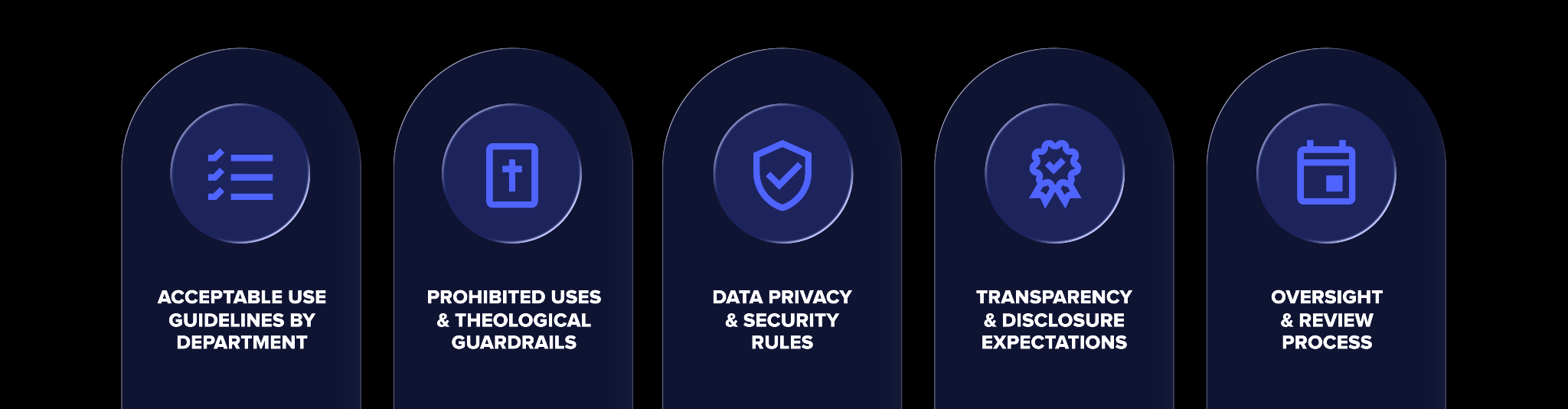
To protect your congregation while empowering your team, a comprehensive church AI policy needs to cover five essential pillars:
- Departmental acceptable use guidelines: Concrete, approved use cases tailored to your communications, executive/operations, and pastoral teams.
- Prohibited uses & theological guardrails: Firm boundaries keep AI out of sacred, relational spaces like pastoral care, counseling, and original sermon prep.
- Data privacy & security rules: Strict rules prohibiting Personally Identifiable Information (PII) in public models and defining approved, church-safe software.
- Transparency & disclosure expectations: Standards for internal staff reporting and external disclaimers to preserve congregational trust.
- Oversight & annual review process: A clear governance structure, including a designated AI lead and a scheduled annual review cadence.
Establishing a written framework in a church AI policy clears up the confusion. When you define clear boundaries around AI usage, staff members gain the confidence to use it responsibly without compromising congregational trust or your church’s core mission.
Let’s dive into each of the five pillars of a church AI policy, and why your church needs one today.
Pillar 1: Acceptable use guidelines by department
A blanket ban rarely works, and vague permissions create confusion. The most effective policies outline explicit permissions tailored to how each ministry area operates day-to-day.
Setting clear expectations for approved use cases helps department heads guide their teams with confidence. Rather than enforcing a rigid, one-size-fits-all ban across your entire organization, define practical boundaries tailored to how each ministry area operates day to day.
Communications & marketing
If there is one department that feels the relentless pressure of “Sunday is coming,” it’s your communications team. Church comms leaders balance a massive volume of writing across dozens of channels, often while operating as a small team or a department of one.
In this context, AI isn’t meant to replace human creativity but acts as a tireless communications assistant. By handing off time-consuming tasks to AI, your team can break through creative blocks and reclaim hours of their week for strategic, relational ministry.
AI can serve as a helpful creative engine for your communications and marketing teams for high-volume tasks, including:
- Brainstorming & ideation: Staring at a blank document on a Wednesday afternoon is exhausting. AI tools excel at breaking writer’s block by instantly generating dozens of creative options for sermon series titles, eye-catching event hooks, engaging social media captions, or fresh angles for upcoming volunteer sign-ups.
- Multi-channel content repurposing: Church communicators often rewrite the same message five different ways for five different platforms. AI acts as a translation engine, taking a single detailed event description and quickly reformatting it into a punchy Instagram caption, a concise print bulletin blurb, a mobile app push notification, and a website calendar update.
- Accelerating email drafts & subject lines: From weekly congregational updates to targeted ministry blasts, drafting email campaigns from scratch eats up valuable time. AI can generate clean structural outlines, craft initial newsletter copy, and suggest multiple catchy subject lines designed to increase open rates—allowing your comms team to focus on editing, refining tone, and adding personal heart.
Pro-Tip: Establish the 70/30 rule for your team. AI can build the initial 70% of a draft, but a human staff member must always supply the remaining 30%, adding authentic church culture, local context, emotional resonance, and a final proofread before anything goes live.
Executive & operations
Executive pastors and operations directors carry the operational weight of the ministry. They are responsible for making sure strategy turns into execution, stewardship stays airtight, and nothing falls through the cracks. But between managing staff, coordinating major events, and tracking organizational health, administrative friction can quickly swamp their week.
For operations leaders, AI acts as a powerful administrative support. It automates high-friction, low-leverage processes, freeing up critical mental bandwidth so leaders can focus on high-level stewardship, team culture, and strategic ministry growth.
Approved operational use cases can include:
- Complex project planning & workflow scaffolding: Launching an Easter service series, an annual budget review, or a multi-day conference requires dozens of moving parts. AI can build comprehensive, step-by-step project plans from a single prompt. It can draft vendor timelines, generate volunteer setup/teardown checklists, and outline risk-management protocols in seconds—giving ops leaders a solid 80% foundation to refine rather than starting from scratch.
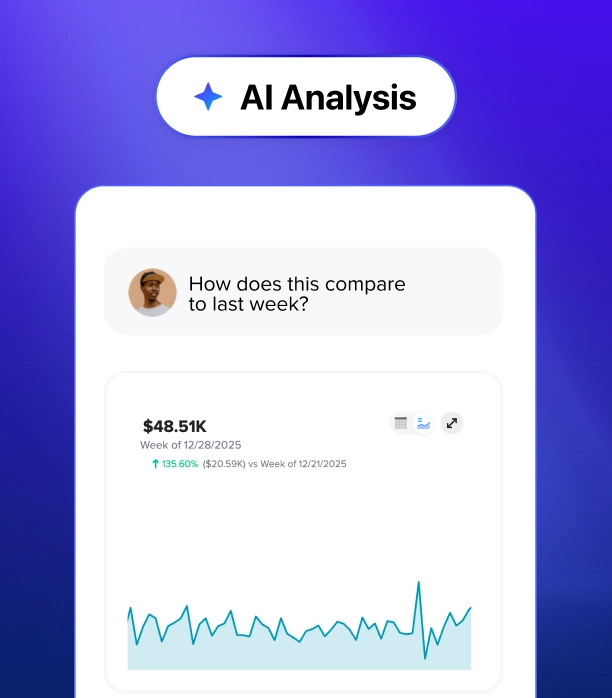
- Data structuring & trend spotting: Operational leaders routinely deal with raw data—attendance figures, giving trends, small group sign-ups, and campus metrics. AI tools can analyze complex spreadsheets to spot subtle patterns (like post-holiday attendance dips or seasonal volunteer burnout), synthesize messy data into executive summaries for board reports, and draft clear talking points for leadership meetings.
Pastoral staff
Of all the departments in a church, the pastoral team requires the clearest boundaries when it comes to technology. A pastor’s calling is rooted in personal prayer, deep biblical study, spiritual wrestling, and relational care—sacred work that no algorithm can ever replace.
Because of this, a church AI policy must draw a firm line: AI is a tool for multiplication, never generation. Pastors should never use software to replace the spiritual process of sermon preparation. Instead, AI serves as a powerful downstream amplifier, taking a completed, preached message grounded in the pastor's own heart and adapting it to nourish the congregation throughout the rest of the week.
Using purpose-built platforms like Pulpit AI, approved pastoral use cases include:
- Publishing & app formatting: Converting raw sermon notes or a spoken audio recording into clean, publication-ready text for your church app, website, and podcast show notes. Instead of spending hours reformatting transcripts after Sunday service, pastors can package their message for digital distribution in minutes.
- Curriculum creation: Pulling main points, key Scripture references, and application questions directly from a preached message transcript. This ensures your small group leaders, ministry leaders, and discipleship teams are teaching in direct alignment with Sunday’s pulpit ministry every single week.
- Devotional guides: Transforming a 35-minute sermon into a five-day devotional series for your congregation. AI can extract core theological themes and daily reflection prompts grounded entirely in the pastor’s original words, extending the shelf-life of a Sunday sermon so it disciples believers all week long.
This is precisely why purpose-built software like Pulpit AI is changing how churches approach content multiplication. Unlike generic, public AI text generators that scour the open web for answers, Pulpit AI uses the pastor’s uploaded sermon recording or transcript as its primary source of truth. By anchoring generated assets directly to Sunday’s message, the platform preserves your pastor’s distinct voice and theological perspective. It creates small group guides and devotionals without introducing unvetted third-party commentary.

With a single sermon upload, Pulpit AI automatically generates over 20 tailored discipleship resources, saving ministry teams an estimated 8–10 hours of manual editing each week. Most importantly, it enforces your policy’s guardrails by design: pastors remain fully in control of the spiritual process of sermon prep, while software handles the heavy lifting of post-Sunday distribution. This gives church leaders a safe, practical engine to extend the shelf-life of their weekly teaching, ensuring congregational discipleship stays deeply connected to their local church’s pulpit ministry.
Pillar 2: Prohibited uses & theological guardrails
Equally important as listing what software can do is establishing hard boundaries where AI is strictly off-limits. Ministry is inherently relational, and certain sacred spaces require authentic human presence.
Clear boundaries protect the relational and spiritual care of your congregation. Documenting where software tools are strictly off-limits prevents misunderstandings and guards the authentic human presence that ministry requires.
- Pastoral care & counseling: Ministry relies on empathy, personal discernment, and spiritual care. AI software must never generate counseling responses, write personal care emails, or process private prayer requests. Congregational care requires real human relationships that software cannot replace.
- Original sermon generation: Sermons must come from personal prayer, biblical study, and spiritual reflection. AI tools should never write primary sermon outlines or craft theological teaching points from scratch. While software can reformat an existing message you already preached, it cannot replace the pastor’s calling to study and teach Scripture.
- Unvetted public text: Automation should never bypass human discernment. AI-generated text or media must never be published directly to public channels without thorough human review and editing. A staff member must always read, edit, and take personal responsibility for every piece of content before it reaches your congregation.
Pillar 3: Data privacy & security rules
Protecting your church means safeguarding your people’s private information. Your policy must clearly dictate what data can and cannot be entered into third-party software.
Here are a few examples of why AI can create risks within your congregation and how your team should protect your church members’ data.
- Personally Identifiable Information (PII): Staff members must never enter personally identifiable information into public text generators. This includes member names, physical addresses, phone numbers, financial contributions, and confidential prayer requests. Many consumer AI tools can use what you type to train future models unless you change the default settings, which creates severe privacy risks for your church.
- Approved platforms: Your policy should distinguish between public consumer tools and secure software AI designed specifically for churches. Software platforms built for ministry isolate your information and keep congregational data confidential.
- Content ownership: Ensure your church retains total ownership over all uploaded data and generated media assets. Verify that vendor agreements protect your intellectual property and do not grant third parties rights to your uploaded material.
Pillar 4: Transparency & disclosure expectations
Trust is vital for local ministry. It takes years to cultivate with your congregation and staff, but a single perception of insincerity can erode it in a moment. In an era where culture is increasingly skeptical of digital trickery and automated noise, maintaining complete transparency about how your church uses technology matters for your ministry.
When church leaders are open about AI usage, it removes the fear of the unknown. Rather than letting staff and church members wonder if AI is secretly replacing authentic ministry, clear communication proves that your leadership team uses technology intentionally, ethically, and as a humble steward of church resources.
- Internal transparency (staff alignment & quality control): Team members should never feel the need to use AI in secret or hide their workflows out of fear of judgment. Establishing a culture of open internal disclosure encourages honest collaboration. Staff members are required to flag AI-assisted drafts to department heads when developing broad ministry resources, study guides, or public campaigns. This keeps leadership informed, ensures consistent oversight, and prevents AI-generated errors from slipping through the cracks.
- External transparency (congregational trust & authenticity): Disclosing technology usage to your congregation shows deep respect for their trust. While routine administrative tweaks don't require public labels, major discipleship materials, written curricula, or published media that relied heavily on AI formatting should include simple, honest disclaimers. Clear guidelines eliminate ambiguity so your congregation always knows where human pastoring ends and software assistance begins.
Pillar 5: Oversight & review process
Artificial intelligence is moving at a dizzying pace. What was cutting-edge six months ago is standard functionality today. Because software capabilities evolve so rapidly, a church AI policy cannot be treated as a static, “set-it-and-forget-it” PDF. If your framework is rigid, it will either become obsolete within a year or stifle helpful innovation.
Good governance adapts as technology shifts while keeping your ministry's vision and values steady. Without structured oversight, staff members often drift into “shadow IT”, using unvetted software in secret—or become paralyzed by uncertainty over what is allowed.
To keep your policy relevant, living, and actionable, anchor your oversight structure around two key governance practices:
- Designating an AI lead or governance committee: Rather than expecting every ministry director to become a tech ethics expert, appoint a clear point person (such as an Executive Pastor or Operations Director) or a small cross-departmental committee. This lead serves as a helpful advisor who evaluates new software features, answers day-to-day staff questions, addresses policy exceptions, and monitors vendor compliance. Centralizing guidance prevents confusion and ensures consistent boundaries across your entire team.
- Scheduling an annual review: Commit to an annual policy review to officially re-evaluate your framework in light of emerging tech tools, updating parameters, and evolving staff workflows. Regular review cycles allow leadership to proactively adjust boundaries, retire outdated rules, and celebrate wins without waiting for a crisis or data leak to force a policy change.
Utilizing AI tools with confidence
A clear church AI policy gives staff the freedom to work efficiently while protecting the pastoral integrity of your church. When leaders set documented boundaries, teams can safely explore new tools without compromising the real human connections that define local ministry.
Ready to equip your team with ready-to-use policy templates? Check out our AI webinar recap or download our free ebook for pre-built AI policy frameworks, which includes a fill-in-the-blank church AI policy template, conversation starters, and discussion questions.
To see how tools like Subsplash One and Pulpit AI provide the support your church needs through every leadership season, [.blog-contact-cta]let’s chat![.blog-contact-cta]
.webp)
.webp)