.webp)



Preaching the word of God every Sunday is a weekly labor of love, one that pastors invest hours of planning, revisions, and research into. Yet the modern ministry cycle requires continuous communication long after Sunday morning, including follow-up emails, social media posts, push notifications, and more!
To assist church leaders with their work, including sermon preparations, creating small group study guides, formatting congregation emails, and creating other important post-sermon content without starting from scratch every Monday, pastors can turn to innovative AI tools and solutions using AI prompts for pastors.
This guide provides an AI sermon prep library featuring copy-paste prompt templates for sermon titles, visual media, newsletter recaps, fill-in-the-blank notes, and youth adaptations. However, general AI tools can introduce subtle (or not so subtle) theological drift and deviate from the voice of the pastor. After looking at the pros of AI prompts for pastors, we’ll discover how specialized AI tools built for church leaders can turn your raw preaching transcript into discipleship resources that remain in your voice, tone, and theology. Let’s take a look!

A beginner’s guide to AI prompting for church leaders
As more and more pastors are turning to AI, a blank screen can feel confusing and even intimidating. Many pastors struggle with knowing where to begin, what to prompt, or they rely too heavily on the immediate answer given without any back-and-forth engagement.
It’s tempting to keep prompts simple without realizing that AI works best with detailed information and instructions. Overall, writing an effective prompt can feel challenging if you are new to working with artificial intelligence. At its core, an AI prompt is simply a set of structured instructions you give to a tool like ChatGPT, Claude, or Gemini to receive the best response.
The challenge is that general large language models (LLMs) do not understand your background, your denomination, or the specific needs of your congregation. When you give a general tool a broad instruction like “Write a sermon summary,” it relies on average patterns from across the internet, which often leads to bland or superficial responses—or even content that’s theologically incorrect.
The hidden friction with generic AI
While generic AI tools offer immediate convenience, pastors regularly encounter friction when using general models for ongoing sermon preparation and follow-up, including:
Prompt fatigue
Crafting detailed system prompts to prevent generic outputs takes significant effort. Pastors can spend 15–20 minutes tweaking constraints, rephrasing queries, and correcting layout mistakes just to obtain a basic study guide. Over time, managing complex prompts creates a new layer of administrative work.
Theological drift & secular assumptions
General artificial intelligence models are trained on broad datasets from across the internet. When asked to write pastoral content without strict constraints, general tools often default to secular self-help strategies, shallow moralism, or prosperity theology. Left unchecked, general models can introduce subtle theological drift into your church’s study guides and email recaps.
Disconnected context
Chat-based tools operate within small, isolated text boxes. A standard chat window does not know your church’s history, your doctrinal statement, or what you preached last Sunday. Because generic tools lack broader context, they frequently invent points, misattribute scripture references, or guess at application points you never communicated from the pulpit.
How pastors can write effective AI prompts
To receive accurate and helpful outputs, your sermon AI prompts must provide clear guardrails, instructions, and details. Effective prompts generally include four key components:
- Role: Define who the AI should act as (for example, “Act as a pastoral communications coordinator”)
- Task: State the precise output you want created (such as “Draft a 300-word Monday recap email”)
- Context: Supply your underlying manuscript, scripture passages, or specific sermon outline
- Constraints: Set limits on tone, length, formatting, and biblical perspective (such as “Maintain a warm, pastoral tone and do not introduce extra theological points”)
Learning how to construct detailed instructions helps you save time while keeping your output aligned with your ministry’s values.
The sermon AI prompt starter library
This AI sermon prep library contains tested templates you can copy, edit, and paste into general AI tools. Each prompt is structured to keep outputs focused on your original message.
AI Prompt #1: Sermon titles & series hooks
Choosing a sermon title requires balancing biblical accuracy with clear, engaging language. When asking broad tools for title ideas, requesting options including titles and descriptions is a great way to shorten your LLM engagement and get the right response as quickly as possible.
Here’s an example of how to write a sermon AI prompt for titles:
Using clear AI prompts for pastors ensures that title suggestions remain grounded in the passage while speaking directly to the daily experiences of your church members.

AI Prompt #2: Sermon thumbnails & visual media
If you’re a pastor of a smaller church, chances are it’s difficult to afford an in-house graphic designer. Yet pastors frequently need visual assets for slide decks, church websites, and app media, week after week. Learning AI image prompts for sermon graphics helps your team generate visual elements without needing specialized design software, or even a new staff member.
To help you get started, here is an example of an AI prompt for visual media:
When crafting AI image prompts for sermon graphics in tools like Midjourney or ChatGPT’s DALL-E, focusing on lighting, mood, and spatial layout produces cleaner visual assets for your sanctuary screens.
AI Prompt #3: Sermon summaries for emails & newsletters
Sending a weekly Monday email helps your congregation process and apply what they heard over the weekend. Understanding how to turn a sermon into a newsletter using AI allows you to maintain an active connection with your church members throughout the week, without pastors having to do all the heavy lifting.
Here is an example of an AI prompt for a newsletter:
When exploring how to turn a sermon into a newsletter using AI, there are truly endless possibilities. You can change your instructions each week or keep it similar week after week.
AI Prompt #4: Interactive sermon notes & fill-in-the-blanks
Providing interactive fill-in-the-blank handouts keeps congregants engaged during the sermon and gives leaders a natural starting point for midweek small group discussions. Using a fill in the blank sermon notes generator AI template speeds up this administrative task significantly.
Here is an example of an AI prompt for pastors to receive a fill-in-the-blank sermon note sheet:
Running a structured fill in the blank sermon notes generator AI prompt helps format Sunday printables rapidly, giving your team time back to focus on personal pastoral care.
AI Prompt #5: Adapting sermon for youth group AI prompt
Translating an expository adult sermon for middle school or high school students requires adjusting vocabulary without diluting the core biblical truth. When your AI prompt can allow you to tailor application points directly to younger audiences and support overall digital discipleship across your ministry, you’ll save hours of hard work.
Here’s an example:
Using a targeted adapting sermon for youth group AI prompt preserves your message’s original biblical context while translating key concepts for student ministry leaders.
AI Prompt #6: Transcripts & key quotes
Raw transcripts generated from automated captioning tools are usually cluttered with false starts, verbal pauses, and punctuation errors. Refining these transcripts with custom sermon AI prompts helps create clean written resources.
Here is a clear example of how to prompt AI to deliver three key quotes from your sermon:
Extracting clean quotes from your preaching text allows your communications team to highlight key insights across bulletin inserts, social media posts, and church mobile app notifications.

How Pulpit AI replaces the need for AI prompts
However, all of these AI prompts for pastors can still take hours of work. Writing complex prompts every week can feel like managing a second job. New innovative AI tools designed specifically for church leaders offer amazing solutions that can save hours of work, each and every week!
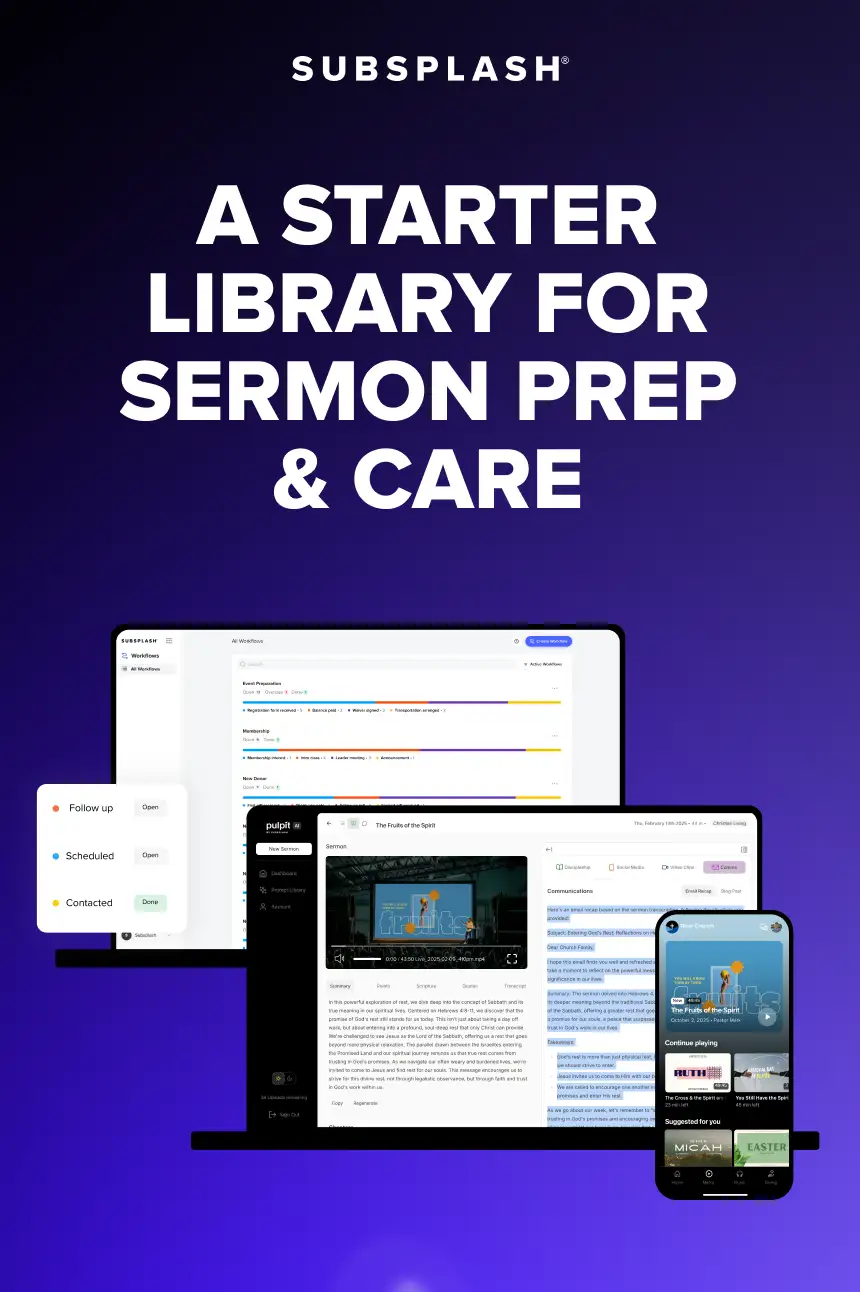
Pulpit AI by Subsplash for sermon repurposing eliminates the need for manual prompt engineering by processing your actual preaching content directly. This sermon tool for pastors instantly converts sermons into over 20 different pieces of discipleship content, including devotionals, blog posts, discussion questions, social videos, and more!
Here are a few ways Pulpit AI equips pastors with a sermon solution that takes your original content even further, with just a few clicks:
1. Processes your original preaching
Instead of copying and pasting excerpts into a chat window, you can upload your full sermon video, audio recording, or manuscript straight into the platform!
2. Remains grounded in your voice
Pulpit AI uses your preached sermon as its primary source of truth. By building resources directly from your actual words, it preserves your theological perspective, personal illustrations, and speaking style without relying on generic web commentary.
3. Generates 20+ sermon assets
Rather than running multiple separate prompts for each individual task, the platform automatically transforms your single message into a comprehensive suite of discipleship materials. With a single upload, you receive:
- Daily congregation devotionals
- Small group discussion guides with timecode anchors
- Interactive fill-in-the-blank sermon notes
- Formatted Monday email newsletters
- Social video clips complete with styled captions
Choosing Pulpit AI for sermon repurposing saves church teams 8–10 hours each week, letting staff spend less time managing software and more time in personal ministry.
4. Provides a built-in pastoral assistant
When you need custom adaptations, such as tailoring a message for student ministry or generating specific series descriptions, you can interact directly with your transcript through an integrated assistant. Every generated response remains anchored to the exact text of your preached sermon.
As part of the Subsplash Platform, trusted by 20,000 churches and ministries of all sizes, Pulpit AI connects sermon creation directly to your custom church app, website, ChMS, and media library, helping churches grow, engage, and connect your community. More than 10,000 churches are already using this technology to extend their weekly ministry reach!

Plus, with Subsplash Workflows, you can link your weekly sermon content directly into clear, automated next-step plans, helping you follow up with new visitors and guide them into deeper community without adding hours of administrative work to your staff’s schedule.
Frequently asked questions about sermon AI prompts
Can general AI tools write accurate sermon discussion guides?
General AI tools can generate basic discussion questions, but they often introduce theological assumptions or references not present in your message. To ensure accuracy, pastors must use strict constraint prompts that limit the AI to their provided text, or use specialized solutions like Pulpit AI that build study guides directly from preached transcripts.
How do I make sure AI doesn’t change my preaching voice?
When using generic AI tools, you must provide past sermon transcripts as reference material and explicitly instruct the model to match your vocabulary, sentence length, and tone. Purpose-built tools avoid this manual step by analyzing your actual sermon audio and transcript, automatically producing all weekly materials in your authentic preaching voice.
What makes Pulpit AI different from using ChatGPT with prompts?
ChatGPT requires manual prompt engineering for every individual task and lacks context regarding your overall sermon delivery. Pulpit AI processes your full sermon recording or transcript in one step, generating over 20 doctrine-aligned, voice-matched resources—including newsletters, group guides, and video clips—in minutes without requiring prompt writing.
Simplify your post-Sunday workflow
Using structured AI prompts for pastors helps reduce the administrative burden of post-Sunday content creation. However, relying on manual prompts in generic tools still requires continuous effort and careful editing to protect against theological drift.
By choosing dedicated tools designed specifically for the church, you can transform your weekly preaching into consistent discipleship resources while keeping your message grounded in the Truth.
To see how easily your team can turn a single sermon into a week of discipleship with Pulpit AI, [.blog-contact-cta]schedule a free demo today[.blog-contact-cta]!
.webp)


%20use%20AI.webp)