


%20for%20Ministries.webp)

%20for%20Ministries.webp)
%20for%20Ministries.webp)


Most church staff didn’t sign up to manage spreadsheets. But somewhere between tracking volunteer schedules, following up with first-time visitors, and reconciling giving records, the administrative load quietly becomes the job. When your tools don’t talk to each other, your team pays the price—in hours, in energy, and sometimes in people who slip through the cracks.
Pastors and church staff regularly balance a mountain of tasks, from sermon preparation to coordinating volunteers. When you’re working with outdated or disconnected tools, that burden grows heavier. If your team spends more time managing data than ministering to people,
implementing dedicated church management software (ChMS) can reduce that friction and help your team focus where it matters. According to Barna Research, 38% of pastors were at risk of burnout in 2021—up from 30% in 2017. A unified platform won’t solve everything, but it can take meaningful pressure off the people you depend on.
Every church leader knows that a healthy organization supports healthy discipleship. When your communication tools and your church data live in the same place, your team stops firefighting and starts leading. Here’s a closer look at what church software solutions actually do—and what it frees your team to focus on instead.
What is Church Management Software (ChMS)?
Church management software (ChMS) is a digital solution that enhances the efficiency and effectiveness of church administration. It serves as a centralized platform, integrating multiple tools and functionalities to streamline essential operations—such as member management, event coordination, volunteer tracking, communication, and church giving, effectively reducing administrative friction and improving engagement.
Church management software provides a central place for church leaders to manage their operations, organize membership information, and automate their processes and communications. A ChMS integrates with church databases, communication software, event calendars, finances and accounting, online giving, and much more!
How church software can benefit your church & staff
Relying on text threads, sticky notes, and separate spreadsheets to run a church inevitably creates gaps where people fall through the cracks. When a visitor fills out a physical connect card and the information isn’t uploaded quickly, your team loses a vital window for follow-up.
A dedicated church management software system removes this friction by giving everyone on your staff access to the same records—ensuring no one is forgotten. It means communication happens reliably, whether you’re welcoming a new family or coordinating a mid-week event, and can remain interconnected, accessible, and accurate in one central hub.
Beyond daily communication, protecting your community’s information requires more than basic file-sharing tools. Keeping track of background checks, volunteer schedules, and giving records across separate platforms increases the risk of error. Centralizing these tasks into a single church software platform creates a safe environment for your staff and your congregation. By using purposeful church technology, you safeguard sensitive church data while freeing up hours of time every week.
One of the clearest reasons to adopt tailored church software is to protect your leadership team from burnout. Staff members often spend more energy fighting with clunky databases than preparing messages or counseling families. Simplifying your church administration means your team can step away from their computer screens and return to active ministry.
On top of that, a unified ChMS improves the experience for your congregation. Families appreciate a quick, secure child check-in process, while your volunteers value having clear schedules sent straight to their devices.
Because all your essential church data lives in one secure space, your leadership team can quickly see attendance trends or notice when a family stops showing up, helping you protect your community while steering your ministry forward with clarity. Additionally, your congregants will love the accessibility of a church app, which can be managed from your ChMS.
12 Benefits of church management software
Implementing a single platform across your entire organization changes how your team approaches daily tasks. When your staff operates from a unified system, your operations run smoothly behind the scenes, allowing you to focus completely on the people in your congregation.
Here are 12 ways a dedicated ChMS supports your team and your congregation.
- Centralized member directory: A modern ChMS stores every family profile, phone number, and mailing address in one secure location. This single source of truth reduces duplicate entries and ensures your entire team looks at accurate, real-time records.
- Simplified volunteer rotations: Coordinating serving teams becomes much easier when you can track availability and assign specific tasks from a central hub. Automatic text or email reminders keep your teams organized, ensuring you never face an empty serving slot on Sunday morning.
- Enhanced nursery and child check-in: Protecting your youngest attendees requires clear, secure check-in systems. Built-in print options and digital rosters provide parents with peace of mind while making it easy for volunteers to manage room capacities safely.
- Effortless event registrations: Whether you are planning a youth retreat or a marriage seminar, hosting sign-up forms directly on your church website speeds up the logistics. Attendees can register and pay in seconds, which instantly updates your event rosters.
- Automated visitor follow-up tracks: Welcoming newcomers requires consistent, timely outreach. Setting up automated messaging steps ensures every visitor receives a prompt email or text message, allowing your pastors to connect during a critical window of interest.
- Accessible mobile giving avenues: Providing digital pathways makes it simple for your congregation to express radical generosity wherever they are. Safe, built-in financial features allow members to give securely through your app or web profiles.
- Efficient year-end statement generation: Compiling giving records for tax season shouldn't take your finance team weeks of manual calculations. The platform tracks every contribution automatically, helping you print or email precise statements in just a few clicks.
- Clear financial tracking: Linking your regular tithes and event payments straight to your church accounting software creates a pristine audit trail. This financial oversight enhances operational transparency and simplifies your annual budgeting processes.
- Targeted mid-week group messaging: Reaching distinct teams requires flexible messaging avenues that prevent information fatigue. You can segment your community into specific interest groups, sending direct updates to parents, leaders, or small groups without emailing the entire congregation.
- Unified media hosting and archiving: Keeping your sermon videos and podcasts within your primary system ensures your content stays easily accessible. Members can rewatch past series or catch up on missed teachings directly on your app or web page.
- Deeper visibility into community growth: Organizing your church data provides clear insights into how your community interacts with your services over time. You can easily spot attendance trends, helping your pastoral staff notice when someone needs proactive prayer or care.
- Reduced administrative staff burnout: Handing your repetitive, manual tasks over to dependable church technology lifts a heavy operational weight from your leadership. Freeing up your hours from constant paperwork allows your team to focus entirely on relational ministry.

What are the key features of church management software?
When evaluating church software, focusing on a few core capabilities ensures your team handles operations without bouncing between separate applications. The best church management software features support both daily administration and long-term engagement efforts. Together, these features reduce manual tasks and let your staff focus completely on your primary ministry activities.
Essential features typically include:
- Centralized database: A core requirement for any dependable church management software is a secure environment to house your church data. This component consolidates member profiles, contact information, and group assignments into a single dashboard. It removes duplicate records and ensures your entire pastoral team looks at the exact same information.
- Volunteer management: Coordinating serving teams for weekend services often requires hours of manual outreach. Church management software solves this by organizing your volunteer schedules and communications in one central place. Team leaders can check availability, assign specific roles, and send automated reminders before Sunday morning.
- Event management: Planning events like summer camps or marriage retreats involves significant logistical detail. Dedicated church software simplifies these logistics by embedding registration forms directly onto your church website. Every event registration links straight to your church data, so your staff can track attendee lists without tedious manual entry.
- Automated workflows: Automating church workflows like routine steps for follow-ups, scheduling, and weekly tasks removes a heavy burden from your staff. These built-in paths can automatically trigger introductory emails to new guests or notify a leader when someone requests prayer. This piece of church technology simplifies your church administration so you spend less time entering data.
- Communication tools: Reaching your congregation requires dependable paths for announcements, group messaging, and event notifications. The best solutions connect these features directly to your church website and mobile tools. This keeps your community connected mid-week while ensuring financial records connect with your church accounting software for clear oversight.
- AI integrations: The best ChMS solutions utilize intelligent tools to multiply your sermon content and simplify complex analytics. For everything that happens after Sunday, features like Pulpit AI turn your sermon audio or video file into over 20 distinct discipleship resources, including daily devotionals, small group discussion guides, and captioned social media clips. On the administrative side, tools like Trends AI bring your operational information together into clear dashboards updated daily. Instead of spending hours building complex spreadsheets, your leadership team can ask simple, natural language questions to instantly visualize giving patterns or locate attendance gaps. Instead of building complex spreadsheets, your leadership team can ask natural language questions to visualize giving patterns or locate attendance gaps.
These fundamentals support both daily administration and long-term engagement efforts. Together these features reduce manual work and let staff focus on mission activities. For example, Subsplash provides integrated tools for communication, media, and giving.
What are the key advantages of unified church software?
Transitioning from fragmented tools to a unified platform provides a foundational shift for local congregations. When your tools communicate with one another, your staff can move from reacting to operational crises to proactively building community. Relying on purpose-built church technology uncovers clear advantages that touch every area of your organization, from weekend services to mid-week operations.
- Enhanced engagement - When you implement integrated church software, you gain clear visibility into how your community interacts with your services. Better communication channels and precise tracking allow your team to notice who is thriving and who might be stepping away. Having this accurate picture of your church data enables your leadership to build deeper relationships—ensuring you can naturally increase participation across every ministry department.
- Increased efficiency - Another benefit of modern church software is the massive amount of time it returns to your team. Handing over repetitive tasks to automated workflows reduces the heavy weight of daily church administration. By allowing a reliable platform to handle group notifications and volunteer reminders, your pastoral team can step away from computer screens and invest their hours into higher-value work like sermon preparation and direct pastoral care.
- Improved member experience - Utilizing updated tools improves the everyday experience for your congregation. Giving options link directly to your church accounting software, while registrations and media resources remain easily accessible on your church website. Simplifying these touchpoints makes it simple for your members to give, register for events, and access teaching materials all week long.
Ultimately, focusing on these core areas directly boosts your ministry capacity to serve your community effectively. Eliminating the daily friction of manual paperwork keeps your leadership team energized and focused on building meaningful relationships. This operational freedom allows you to welcome newcomers, support families, and lead your congregation with long-term clarity.
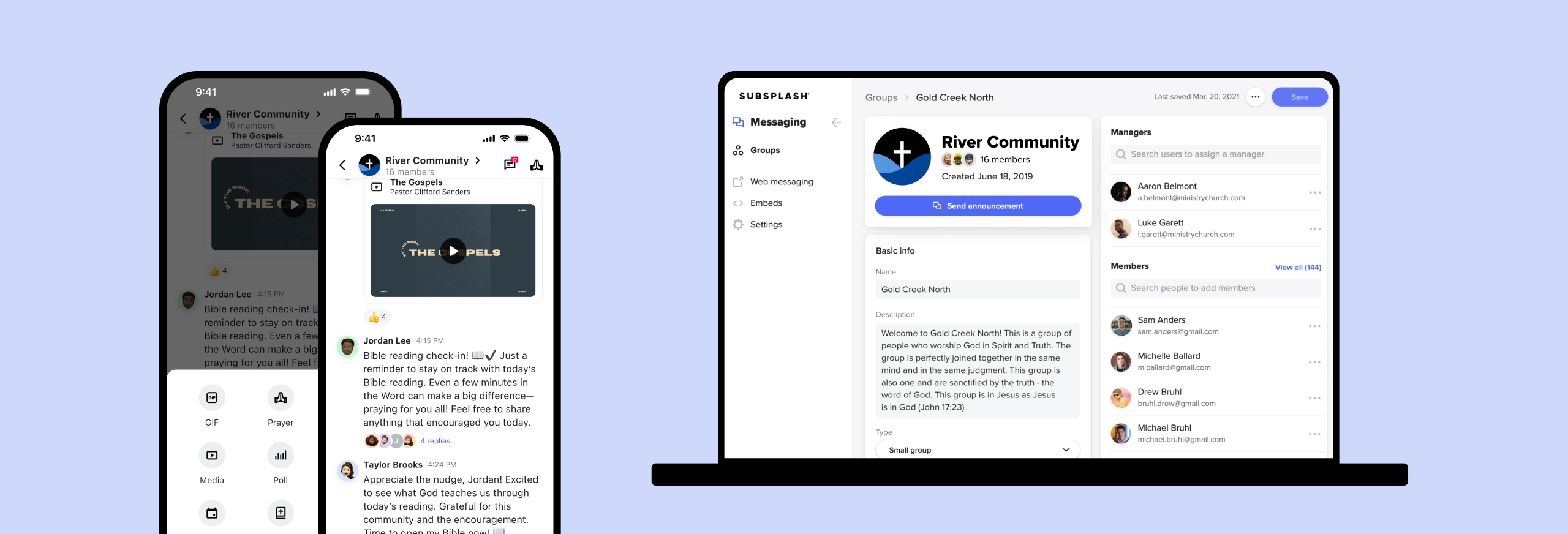
How do church communication tools facilitate ministry coordination?
Coordinating volunteer teams and updating your congregation can easily feel overwhelming when messages are scattered across separate personal apps. Incorporating communication modules directly within your church software creates a unified ecosystem for your leadership and members. This shift clears up confusion, ensuring your staff spends less time chasing updates and more time focused on active ministry. Communication modules improve coordination by enabling:
- Centralized communication - Having a single hub for announcements and updates prevents critical information from getting lost. Instead of sending separate emails, text messages, and paper handouts, leaders can push vital updates to the entire community instantly. This centralized approach keeps your staff, volunteers, and congregation aligned—protecting your church administration workflow from communication breakdowns.
- Group management tools - Ministry doesn’t happen in a vacuum—different teams have different operational needs. A comprehensive ChMS includes group management that provides targeted messaging tools based on specific interest groups, volunteer cohorts, or small groups. By organizing your church data into distinct subgroups, the youth pastor can message parents directly while the worship leader coordinates only with the band. This keeps your daily church administration relevant to each team and prevents information fatigue across the rest of your congregation.
- Real-time insights - To communicate effectively, your team needs to know if your messages actually reach your people. Built-in analytic tools provide simple metrics to monitor engagement, showing you open rates and interaction patterns so you can adjust your outreach. Linking these insights to your mobile tools and church website gives your leaders a clear picture of community connection without forcing them to master complex church technology.
Subsplash builds these exact communication pathways directly into your custom mobile app and web presence. By pairing group messaging channels and push notifications with your media and giving, this unified approach removes the need for separate, disconnected messaging apps—helping you safely grow, engage, and connect your community all week long.
What ChMS features support financial management in ministries?
Managing your congregation’s tithes and offerings with accuracy requires specialized tools built for the everyday rhythms of church life. Relying entirely on traditional paper envelopes and manual bank deposits creates a heavy administrative burden for your finance team. Incorporating modern digital giving tools directly into your church management software allows your team to track giving trends, automate collection, and keep your financial records secure.
The best ChMS offer digital giving features that include:
- Online giving options: Providing your congregation with flexible ways to express generosity removes immediate barriers to giving. By embedding secure donation pathways directly into your custom mobile app and church website, members can safely submit tithes or support specific building campaigns in seconds—whether they’re in the auditorium or watching your livestream from home.
- Recurring giving: Financial predictability is vital for planning future outreaches, community events, and seasonal staff budgets. Encouraging your community to utilize recurring giving features allows them to set up automated schedules for regular donations—whether they choose weekly, bi-weekly, or monthly timelines. This steady stream of funding reduces the typical summer slump in donations while helping your members cultivate a consistent spiritual habit of generosity. Recurring giving is the
- Contactless in-person giving: While online giving works well for remote viewers, removing friction during your physical services is just as important. Features like Subsplash Tap allow you to place physical NFC Discs or Stands directly on seatbacks or welcome tables. Members can simply tap their smartphones to the device to instantly pull up your exact giving page or custom mobile app—completely replacing clunky, printed QR codes and providing your congregation with a safe, instant way to support the church.
- Robust reporting tools - Your finance team needs clear visibility to steward every dollar with excellence. Modern church software provides comprehensive reporting dashboards, custom tracking, and real-time giving analytics that help you evaluate overall financial health. When these giving metrics flow straight into your central repository of church data, generating end-of-year household tax statements becomes a quick, error-free process rather than a month-long administrative headache.
Clear evidence across many ministry contexts indicates that adopting innovative digital financial tools is imperative for catching up with modern payment processors that are convenient and ubiquitous—something people have come to expect, even while sitting in a pew.

How does church software enhance member engagement & participation?
Encouraging regular participation becomes much easier when your leadership team isn't guessing who is attending or serving. Utilizing a dedicated church management software system offers a clear view of your community’s practical needs, allowing you to move away from generic announcements and focus on real connection. By unifying your tools, you can actively guide your people from occasional attendance to deep, shared ownership in your ministry.
Church platforms encourage participation by:
- Centralized database - A core benefit of modern church software is having an accurate, single source of truth for your congregation. This secure archive lets your staff see individual milestones—such as baptism dates or small group sign-ups—enabling highly personalized outreach that makes people feel truly known.
- Automated processes - Simplifying your administrative tasks removes the friction that often keeps people from taking their next spiritual steps. From automated visitor follow-ups to instant confirmations for serving tracks, these background systems support your regular church administration so visitors feel welcomed right away.
- Engagement tracking - Keeping your church data organized helps your pastoral staff spot healthy growth patterns or notice when a family suddenly stops showing up. Identifying active members and recognizing care gaps allows your team to reach out proactively, ensuring no one is left behind.
Ultimately, these organized approaches help ministries grow sustained, lifelong involvement within your church.

What ChMS tools are available for efficient church event management?
Executing a successful event—whether it is a weekend baptism or a summer youth camp—requires clear organization from start to finish. If your staff relies on separate calendar apps and paper sign-up sheets, planning quickly becomes chaotic.
Specialized church software provides dedicated event tools that keep your logistics running smoothly in the background. Common event tools are:
- Event registration software - Modern platforms offer easy online sign-ups and ticketing options directly through your mobile app. This ensures that attendees can register and pay in seconds, while your finance team sees the transactions sync cleanly with your church accounting software.
- Volunteer management tools - Coordinating serving teams shouldn't require endless personal text threads. Built-in scheduling features allow you to assign specific shifts, track volunteer availability, and send automated reminders before the event begins.
- Attendance tracking - Keeping a clear record of participation provides your leadership team with reliable reporting on community involvement. Monitoring these numbers helps you see which events resonate most with your people, giving you helpful insights for future planning.
Using these integrated features improves your immediate planning and simplifies your post-event evaluation. When your event logistics connect directly to your primary ChMS, you spend less time entering names and more time building relationships.
Why is integration capability critical for ministry software solutions?
Relying on a collection of disconnected digital tools creates unnecessary friction for your staff and volunteers. When your event calendars, database entries, and donation tools cannot communicate, your team must spend hours performing manual data entry. Prioritizing strong integration capabilities within your ministry software keeps your systems unified and protects your staff from administrative burnout. Integration matters because it enables:
- Data synchronization: A well-connected platform ensures consistent records across your entire organization. When a member updates their email address on your church website, that change reflects instantly inside your primary repository of church data. This immediate synchronization removes duplicate entries and guarantees your pastoral team always works with accurate, reliable information.
- Streamlined operations: Connected workflows reduce the need for manual handoffs between different departments. For example, when someone registers for a youth retreat, the financial information should flow directly into your church accounting software while the attendance data updates your volunteer lists. This smooth operation eliminates the administrative gaps that complicate daily church administration.
- Holistic member profiles: Combining your different data sources gives your staff a complete view of individual engagement. You can see how often someone attends, where they volunteer, and how they interact with small groups over time. Having this clear picture allows your leaders to provide personalized pastoral care and plan more effective outreach.
In the end, choosing a fully unified church software ecosystem reduces errors and preserves valuable staff time. Instead of managing a complex web of disconnected systems, your team can rely on integrated church technology to keep your records clear. This practical unity ensures your administrative details handle themselves, giving your leaders more time to focus on active ministry.
Church software FAQs
What are the common challenges ministries face that church software can address?
Ministries often struggle with fragmented communication, inconsistent member records, and time-consuming event logistics. Church software centralizes key functions, automates routine tasks, and improves coordination, enabling staff to focus on ministry priorities.
How can ministry software improve volunteer engagement?
Tools for scheduling, shift reminders, and clear role descriptions make volunteering simpler and more reliable. Tracking hours and sending automated confirmations also helps recognition and retention.
What role does data security play in church software?
Security is essential because these systems hold personal and financial data. Look for encryption, access controls, multi-factor authentication, and regular backups to protect information and maintain trust.
Can church management software integrate with other tools and platforms?
Yes. Many solutions connect to accounting, email platforms, calendars, and social media to avoid duplicate entry and keep records synchronized across systems.
How does a ChMS support financial transparency?
Built-in reporting tracks donations and expenditures, making it easier to produce statements for leaders and stakeholders and to demonstrate accountability.
What training or support is typically available for users of church software?
Vendors commonly offer tutorials, webinars, documentation, and support teams. Some provide tailored onboarding to help staff adopt key workflows quickly.
How can church management software enhance community outreach efforts?
Targeted messaging, automated follow-ups, and event promotion tools help ministries reach prospects and maintain relationships with existing members, improving attendance and engagement.
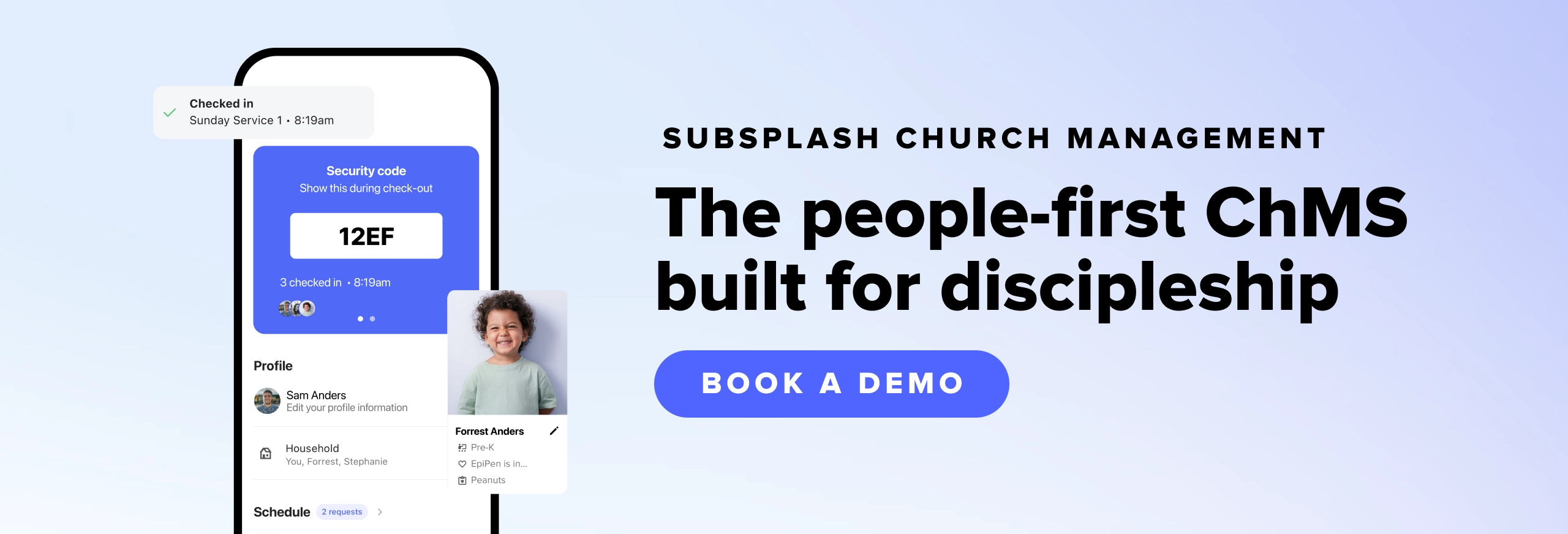
The best church management software helps grow your ministry
Discovering and implementing the right church software reduces administrative burden, improves member engagement, and supports transparent financial practices. Ministries should assess core features, integration needs, pricing, and vendor support to choose a solution that aligns with their mission and capacity.
Transitioning to a dedicated church software system is ultimately about stewardship. When you replace a scattered web of disconnected applications with a unified church software solution, you give your staff the breathing room they need to do what they were called to do.
By bringing your church data, giving records, and event calendars under one roof, you create a sustainable workflow for your leaders and a clear path for your congregation. Your church website and mobile applications become more than just digital bulletin boards—they become active environments for mid-week community connection. Investing in purpose-built church technology helps you protect your team, organize your operations, and keep your focus entirely on making disciples.
If you’d like to learn how your church can benefit from using Subsplash’s unified platform, [.blog-contact-cta] let’s chat! [.blog-contact-cta]


%20features%20for%20a%20thriving%20church.webp)
