







If you’re a pastor, your weekly calendar probably looks like a juggling act. One minute you sit in a quiet study diving into biblical exegesis for Sunday’s message. Thirty minutes later, you are troubleshooting website links, building volunteer schedules, or drafting congregational emails.
The truth is that balancing deep spiritual preparation with daily administrative tasks can leave even the most dedicated pastors feeling stretched thin, leading to pastoral burnout. Furthermore, 84% of pastors work more than 40 hours a week, and according to Barna Group research, 24% of U.S. Protestant pastors have considered leaving full-time ministry.
Pastors wearing so many different hats are left facing constant fatigue week after week. You did not enter ministry to become a full-time copywriter, graphic designer, or office manager. You stepped into leadership to shepherd souls, preach the Word, and build relationships.
Artificial Intelligence is here, and many leaders are now turning to AI for pastors to trade hours spent on administrative work for more meaningful pursuits. When you view artificial intelligence as a capable executive assistant rather than a replacement for pastoral discernment, you can delegate repetitive tasks and focus on direct pastoral care, prayer, and discipling your congregation.
Let’s turn to some practical ways to set up a digital co-pilot across four core ministry roles (Executive Admin, Research Partner, Content Editor, and Creative Director) so you can turn AI into your own personal assistant and spend more time on ministry!
Role 1: Your AI administrative assistant (emails & church ops)
Many pastors rely heavily on their administrative assistant to get through the day. Through dozens of phone calls, last minute requests, urgent text messages, and email approval, operational details can easily consume the hours pastors need for pastoral care.
For pastors who have a part-time assistant or can’t afford one, it’s not unusual to spend several hours every week drafting routine administrative correspondence, formatting announcements for multiple platforms, writing emails, or drafting routine administrative correspondence.
Targeting your weekly inbox and operational announcements is the fastest way to lighten your administrative load. If you have ever wondered how can pastors use AI for church admin, the answer lies in using prompt templates to draft raw text quickly. An AI assistant for pastors can turn fragmented meeting notes into polished communication pieces in seconds, allowing you to focus on the heart of the message rather than the mechanics of formatting.
Streamlining pastoral emails & social media posts
When answering congregational inquiries or drafting routine pastoral care responses, tone is everything. You want your correspondence to feel warm, pastorally wise, and encouraging without spending 20 minutes crafting every individual paragraph.
Here are two copy-paste prompt templates designed to handle administrative drafting and event announcements:
The Event Announcement Compressor: “You are a professional copywriter at a church. I am pasting raw event notes below. Turn this into two clean formats: 1) A 75-word bulletin announcement with a clear call-to-action, and 2) A 3-bullet point announcement script for the Sunday morning pulpit platform.”
The Monthly Numbers Update: “Act as an executive assistant to a church pastor. You are writing an email to the church’s board members sharing last month’s numbers, including: weekly attendance, salvations, baptisms, and…”
The Social Media Influencer: “You’re a professional social media manager. Your pastor has asked you to draft a post to share on Instagram and Facebook about (a recent or upcoming event, like summer camp highlights, upcoming Christmas services, etc.). Here is a summary of what you should share. Write an engaging, fun, and …”
By delegating these initial drafts to software, you retain full editorial control while removing the mental weight of starting from a blank page. You simply review, adjust personal details, and send.
Role 2: Your AI research assistant (sermon topics & brainstorming)
A common concern among church leaders is whether using software in sermon preparation compromises spiritual integrity. The key distinction lies between exegesis and ideation. Spiritual discernment, prayer, and deep biblical study remain the sacred responsibility of the shepherd. However, an AI assistant can help you brainstorm sermon series titles, organize research ideas, and identify cultural connections.
When exploring how to use AI to brainstorm sermon topics and series, treat the tool as a conversational sounding board. It will not pray for your congregation or wrestle with the topic, but it can quickly supply fresh angles for sharing timeless truths.
Generating sermon concepts & identifying audience questions
When planning a multi-week preaching schedule, overcoming blank-page paralysis is half the battle. You can use targeted AI prompts for sermon topic ideas to build structured series frameworks that spark your own creative and theological preparation.
The 4-Week Sermon Topic Generator: “Act as a research assistant for a pastor. Provide 4 creative sermon topic concepts focused on the central theme of [Insert Theme, e.g., finding rest in a burnt-out culture]. For each week, provide a compelling sermon title, key Scripture passage, primary theological point, and a real-world application question for [Target Audience, e.g., young professionals].”
The Cultural Blind-Spot Finder: “I am planning a sermon on [Scripture Passage / Topic]. What are 3 common modern misunderstandings or cultural objections surrounding this passage, and how can I address them with empathy in my intro?”
The Historical Context Researcher: “Provide a concise historical, cultural, and literary background for [Insert Scripture Passage / Book]. Highlight key details about the original audience, the author's primary intent, and 2–3 specific cultural customs or idioms that illuminate the text's deeper meaning for a modern congregation.”
Using these prompt frameworks allows you to anticipate the questions your listeners are asking before you stand up on Sunday morning. Of course, it’s crucial that pastors take time to fact check, verify, and test the suggestions given by AI. This helps eliminate the risks of false claims and AI hallucinations.
And if you’re looking for more AI prompts for pastors when it comes to sermon prep, we wrote a whole blog about it here!
.webp)
Role 3: Your AI content editor (repurposing Sunday into weekday devotionals)
Sunday morning should never be the sole touchpoint for your teaching. Pastors invest hours preparing a single sermon, yet much of that message stays confined to the sanctuary. By mastering turning AI into your personal assistant, you can transform one Sunday sermon into a full week of discipleship content for your congregation.
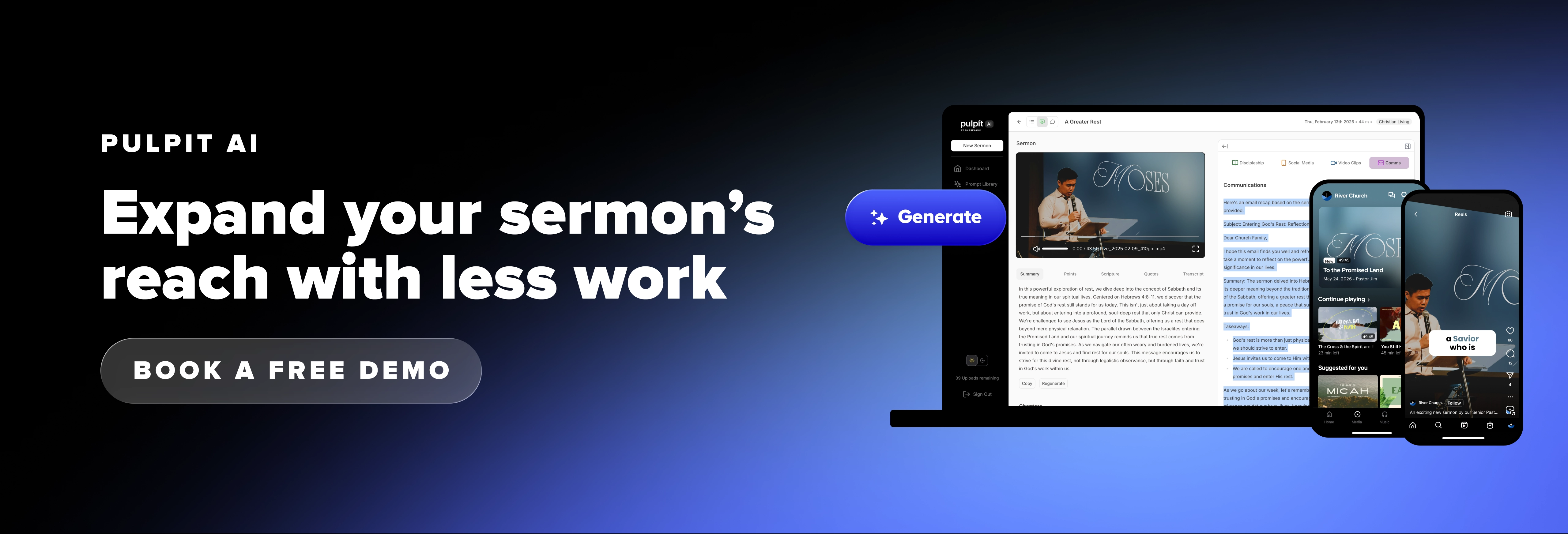
If you often ask, “How do I use AI to turn a sermon into a weekly devotional?”, specialized software makes this transition simple. While general AI tools require you to manually copy and paste text transcripts, specialized tools like Pulpit AI by Subsplash automatically process your sermon audio or video to create over 20 pieces of discipleship content in minutes! Because Pulpit AI works directly from your recorded message (and not from other websites or data sources), your specific theology, tone, and sermon illustrations stay consistent across every format.
Building sermon content with Pulpit AI
When you repurpose your sermon into email newsletters using AI tools built for churches, you ensure that people who missed Sunday’s service—or members who want to digest the message on a deeper level—stay rooted in the Word throughout the week. Pulpit AI automatically generates video clips with subtitles, daily devotionals, small group discussion guides, and weekly email recaps.
If you want to customize these drafts further inside a general conversational AI tool, you can also paste your transcript alongside these prompt templates:
The Monday Newsletter Converter: “Act as an editor. Below are my sermon notes/transcript from Sunday on [Insert Passage/Topic]. Rewrite this into a 350-word Monday morning email newsletter for our church. Use a warm, personal tone as if writing to a friend. Include: 1) An engaging subject line, 2) A brief recap of the core truth, 3) 3 practical action steps for the week, and 4) A closing reflection question.”
The 3-Day Reflection / Devotional Builder: “Based on the attached sermon notes, create a 3-day personal devotional guide. For each day, include: A key verse, a 150-word devotional reflection, and 2 application questions for personal quiet time or family dinner discussion.”
Turning one Sunday message into weekday touchpoints establishes a steady rhythm of discipleship that meets your church family right where they spend their time.
Role 4: Your AI creative director (sermon visuals & graphic prompts)
Many small-to-midsize churches operate without a dedicated graphic designer on staff. As a result, pastors often find themselves spending late Thursday afternoons wrestling with photo editing software or settling for outdated stock images.
You can use text-to-image generators like Midjourney or DALL-E to generate modern visual assets. Using targeted AI image prompts for sermon graphics gives your visual media a cohesive, professional aesthetic without requiring advanced design skills.
Creating sermon series art & social media assets
To generate striking graphic backgrounds, avoid vague prompts. Specify lighting, texture, artistic style, aspect ratio, and composition space so you can easily overlay text later.
The Sermon Series Background Art Generator: “Write a detailed image generation prompt for a sermon series titled ‘[Insert Title]’ dealing with the topic of ‘[Insert Theme]’. Describe a minimalist, cinematic background, rich lighting, warm tones, high contrast, 16:9 aspect ratio. Ensure there is negative space in the center for text overlay. Avoid cheesy religious stock imagery.”
Social Media Quote Card Visual: “I want to create an Instagram graphic featuring this quote: ‘[Insert Quote]’. Describe 3 distinct visual background styles (e.g., abstract oil painting texture, modern architectural line art, or dramatic nature photography) that evoke a sense of peace and reflection.”
Providing specific visual instructions ensures your creative outputs look intentional and aligned with your church’s overall branding.
AI pastoral assistant operating rules: Ethical & theological guardrails
While modern digital tools offer immense operational relief, using AI for pastors requires clear structural and ethical boundaries. Software is an efficiency multiplier, not a substitute for pastoral care or spiritual discernment.
To protect your ministry's integrity while maintaining high standards, adopt these four essential operating rules:
Rule 1: Theological orientation
Never assume general AI models understand your specific denominational nuances or doctrinal convictions. Always ground your initial system setup by instructing the tool: “Align all output with historical orthodox Christian theology and [Insert Specific Doctrinal Framework, e.g., Reformed, Wesleyan, or Baptist convictions].” To avoid this risk altogether, utilize Pulpit AI to ensure your AI generated content remains grounded in your voice and sermon—and nothing else.
Rule 2: Confidentiality first
Protect congregational privacy above all else. Never input names, sensitive prayer requests, counseling notes, or private church data into public software models. Use generic variable placeholders (such as [Congregant] or [Upcoming Procedure]) whenever drafting personal communications.
Rule 3: Co-pilot, not ghostwriter
The pastor must always remain the spiritual leader of the flock. Use digital tools to format, organize, structure, and edit, but ensure your personal voice, biblical convictions, and pastoral affection shape every final message.
Rule 4: A formal AI policy
To keep your entire staff aligned when it comes to AI, it’s imperative to establish a written church AI policy that outlines clear expectations for AI use across every department. Documenting the specific AI guidelines your church staff needs prevents confusion regarding acceptable tools, copyright considerations, and data privacy. Having an official framework ensures your team operates with shared vision and accountability as technology continues to evolve.
Frequently asked questions
How can pastors turn AI into a personal assistant without losing their personal voice?
Pastors can preserve their authentic voice by feeding the software previous sermon transcripts, articles, or sample writing. Instruct the tool to analyze and match your sentence length, vocabulary, and conversational tone. Treat every output as a rough draft that you personally review, edit, and refine before publishing or preaching. Most importantly, you can turn to AI content tools built for church leaders like Pulpit AI to ensure your integrity is never risked or compromised.
Which tools work best as an AI assistant for pastors?
General-purpose conversational models like ChatGPT Plus, Claude, and Perplexity work exceptionally well for research, administrative drafting, and text repurposing. For sermon visual media and series graphic generation, Midjourney and DALL-E offer the most consistent design quality. For turning sermon videos into sharable content that feels and sounds like your content, Pulpit AI is the industry standard.
Can AI assist with pastoral care emails without being impersonal?
Yes, provided you use the software for structural drafting rather than final sending. Software can rapidly format a thoughtful, biblically grounded template. You then add personal shared memories, specific prayer commitments, and authentic personal warmth before sending the message.
Reclaiming your time for what matters most
Pastors don’t step into ministry to spend hours wrestling with graphic software, formatting bulletins, or typing weekly administrative updates. Using AI as a virtual executive assistant offers a practical way to handle repetitive drafting tasks while keeping your voice and theological convictions central.
When you are ready to expand your sermon’s impact beyond Sunday morning without adding hours to your workload, Pulpit AI by Subsplash automatically turns your recorded message into daily devotionals, small group guides, newsletters, and social media clips. To explore how a unified platform can simplify your weekly workflow, connect with our team today or start your free trial of Pulpit AI.
.webp)
.webp)

.webp)