


Pastors and church leaders wear many hats. You might preach on Sunday morning, meet with the youth team that afternoon, and reconcile the offering on Monday. Many congregations rely on volunteers and part-time admin staff for bookkeeping, and church accounting software can take a lot of that manual work off their plates.
Below, you’ll find the benefits of using accounting software, how we chose our picks, and the top five free options for churches and any nonprofit organization.
7 benefits of free church accounting software
Churches are a place for people to grow their faith, not their finances. As such, it can be difficult for some congregation and religious nonprofit leaders to feel comfortable discussing accounting, even when the topic involves financial reporting, donation tracking, and budgeting efforts for the church.
However, it’s no secret that many elements of the church—like missionary work and regular event programming for members—require the congregation to keep the accounting running smoothly. Consider these benefits of simplifying accounting efforts with free church accounting software.
1. Improved accuracy
There’s no way to understand exactly how much money is entering and exiting the church without proper tracking. Accounting software empowers congregations with a view of daily expenditures, such as event costs, which allows church leaders to implement spending limits to remain on budget.
Church accounting software also consolidates various income sources—including recurring tithes, event proceeds, and fundraiser donations—giving church leaders a single view of current progress. The right software improves general accounting accuracy to help further the church’s mission.
2. Time savings
It can be a challenge to complete accounting practices in a timely manner when the church finances are scattered across a combination of digital spreadsheets and physical receipts. Accounting software works to gather the numerous components of a church’s finances, from payroll to planned giving, in one place. It helps make timely financial information readily available to stakeholders.
3. Financial reporting
Clear financial reports help your board, finance committee, and congregation understand where the church stands. Most churches aren’t required to file the annual Form 990 that other tax-exempt groups submit, according to the IRS Tax Guide for Churches & Religious Organizations. Many churches still produce a balance sheet, statement of activities, and budget-versus-actual report each month or quarter.
Churches with paid staff also have payroll responsibilities. The same IRS guide explains that churches generally withhold income, Social Security, and Medicare taxes for non-minister employees, while ministers follow separate rules. Accounting software keeps that data organized for tax season.
4. Fund management
A well-managed budget is vital to scaling a congregation and succeeding with a church’s mission. Free church accounting software provides a bird’s eye view of the congregation’s finances, serving as a guide to remain within spending limits, achieve fundraising targets, and remain fiscally secure.
Gifts designated for missions, youth, or a building campaign need to stay in their own buckets. Fund accounting tracks restricted and unrestricted money separately, so you can show donors their gifts went where they intended. (Not every free tool supports true fund accounting, which is a big reason Grain Ledger tops our list.)
5. Donation tracking
Church donations take several forms, including event fees, fundraisers, tithes, and more. These gifts must be properly tracked and reported, not only to maintain accurate bookkeeping for the church but also to communicate the current progress of church initiatives directly to donors and members.
Free church accounting software tracks all gifts and donations made to the church, no matter if they’re given in physical cash or check or digital payment methods. This software can then generate stewardship reports to provide congregants with the status of their individual donations.
6. Compliance & transparency
Speaking of the status of individual donations, church donation software also adds a welcomed layer of transparency to church finances. It allows churches to demonstrate that monetary gifts were used as the donors intended, whether that be serving the local community or completing missionary work.
Accounting software also makes audits and board reviews far less stressful. Church financial transparency builds trust with the people who give.
7. Security & data backup
When financial data is spread across multiple systems, it leaves the church open to potential risks, especially fraud. A reliable free church accounting software is designed with layers of protection to safeguard both the church’s finances as well as the sensitive financial information of its congregants. It wards against duplicate data entry, administrative errors, and serves as a method of data backup.
Top 5 free church accounting software
For-profit companies, like retailers and manufacturers, often encounter separate tracking and reporting needs than churches and religious nonprofits, making church accounting software a must for proper financial security.
We compared fund tracking, bank connections, financial reporting, user limits, and how well each of these accounting tools fits a church. Pricing comes from each company’s website at the time of writing, so check their pages for the latest details.
Here are the top five free church accounting software to consider.
1. Grain Ledger
Grain Ledger is cloud-based church accounting software built around fund accounting. Restricted gifts, ministry budgets, giving activity, and expenses all live in one fund-based ledger. Your missions fund and general fund stay separate without class workarounds or extra spreadsheets.
Grain Ledger also connects to the giving and banking tools churches already use. As an integration partner, their software syncs with Subsplash Giving, mapping each Subsplash fund to a Grain fund and matching every transfer to its bank deposit. It also integrates with Planning Center, Pushpay, Rock RMS, Ramp, and BILL, and imports bank activity through Plaid.
Pros:
- Built for fund accounting: Track restricted and unrestricted funds with nonprofit net asset classification and a preconfigured nonprofit chart of accounts.
- Board-ready financial reports: The free plan includes standard GAAP reports, including a balance sheet, statement of activities, and statement of cash flows. Click any number to see the journal entries behind it.
- Giving tools included: Donor insights, giving statements, and church management (ChMS) integrations come with every plan, including the free one.
- Simple switch from QuickBooks: Every plan includes one-click QuickBooks migration.
Cons:
- Free plan limits: The Starter plan covers one bank account, three users, and one active budget.
- Expense cap: The free plan is for churches with up to $20,000 in monthly expenses.
- Phone support at the top tier only: Starter includes email support, and phone support comes with the Scale plan.
- Payroll costs extra: GrainPayroll is a paid add-on.
Pricing:
Grain Ledger’s Starter plan is free for churches with up to $20,000 in monthly expenses, and no credit card is required. The Growth plan costs $70 per month for churches with up to $1 million in annual revenue or expenses, adding three bank accounts and unlimited users. The Scale plan starts at $100 per month for larger churches. GrainPayroll costs $50 per month plus $10 per employee and works with any plan.
2. Zoho Books
Zoho Books is one of the most popular free accounting platforms for small businesses and nonprofit organizations. It’s part of the larger Zoho suite, so it connects with tools like Zoho CRM, Zoho Expense, and Zoho Payroll.
The free plan covers invoicing, expense tracking, and online payments through several payment gateways. You can import bank statements, auto-categorize transactions with rules, and reconcile your accounts. It also includes more than 50 financial reports that you can schedule and share with your finance team.
Pros:
- Mobile app: iOS and Android apps let you manage church finances on the go, and a Windows desktop app is also available.
- Donor visibility: The customer portal gives givers one place to view their transactions.
- Deep reporting: More than 50 financial reports, with scheduling built in.
- 1099 tools: Track contractors, collect W-9s, and generate 1099 reports.
Cons:
- Built for businesses: Zoho Books doesn’t offer true fund accounting, so tracking designated gifts takes workarounds.
- One user on the free plan: The free plan supports one user plus an accountant, according to Business.org.
- Manual bank imports: Reviewers note the free plan doesn’t include automatic bank feeds, so you’ll import statements yourself.
- A lot to learn: The broad feature set can feel like more than a volunteer treasurer needs.
Pricing:
Zoho Books offers a forever-free plan for businesses with less than $50,000 in annual revenue. Paid plans start at about $15 per month billed annually and add users, automatic bank feeds, and more features. Check Zoho’s pricing page for current rates.
3. Wave Accounting
Wave is a cloud-based accounting tool popular with very small organizations. Its free Starter plan includes unlimited estimates, invoices, bills, and bookkeeping records, plus a dashboard that shows your cash flow in one place.
Wave also offers online payments, payroll, and receipt scanning through paid add-ons. If your church wants hands-off help, Wave Advisors provides bookkeeping services starting at $149 per month.
Pros:
- Free core accounting: Unlimited bookkeeping records and invoices on the Starter plan.
- Mobile app: Send invoices and manage cash flow from your phone.
- Quick setup: A clean dashboard makes it approachable for volunteers.
- Optional expert help: Wave Advisors can handle bookkeeping for you.
Cons:
- No automatic bank imports on the free plan: Auto-importing and categorizing bank transactions requires the Pro plan.
- Payment fees: On the Starter plan, card payments cost 2.9% + $0.60 per transaction (3.4% + $0.60 for Amex).
- No fund accounting: Wave is built for small businesses, so designated gifts need manual tracking.
- Limited support on the free plan: Live chat and email support come with Pro or a paid add-on.
Pricing:
Wave’s Starter plan is free. The Pro plan costs $19 per month or $190 per year and adds automatic bank imports, unlimited receipt capture, and lower card fees on your first 10 transactions each month. Payroll and receipt scanning are available as paid add-ons.
4. ZipBooks
ZipBooks works well for church leaders who already partner with an outside accountant and want clean day-to-day books. It includes accountant access, bank connect, bank reconciliation, auto-categorization, and a customizable chart of accounts.
Reports like the balance sheet, income statement, general ledger, and trial balance generate automatically from your records. Tagging and project accounting can help you track spending by ministry or event.
Pros:
- Free means free: The Starter plan includes unlimited invoices, vendors, and customers.
- Automatic reports: Core financial statements build themselves from your chart of accounts.
- Accountant-friendly: Give your CPA direct access to your books.
- Ministry tagging: Tag transactions to see what each ministry spends.
Cons:
- One bank connection: The free plan connects a single bank account.
- Limited payment options: The free plan accepts payments through Square or PayPal.
- No fund accounting: Restricted gifts need workarounds like tags.
- Advanced features cost extra: Recurring billing, automated reminders, and multiple bank connections require a paid plan.
Pricing:
The ZipBooks Starter plan is completely free to manage unlimited invoices and customers, accept payments on Square or PayPal, and view basic reports. A $15 per month Smarter plan allows for templatized invoices, and a $35 per month Sophisticated plan features smart tagging on expenses.
5. Manager
Manager is free desktop accounting software for Windows, Mac, and Linux. The Desktop Edition has no time or usage limits and works offline. Churches that need several people to log in from different places can upgrade to the paid Cloud Edition.
Manager lets you customize your chart of accounts, tax codes, and custom fields. It also offers a large library of guides and an active user forum.
Pros:
- Completely free desktop edition: Every feature, no time limits, no ads.
- Highly customizable: Set up sub-accounts, tax codes, and custom fields to fit your church.
- Works offline: Keep your books on your own computer.
- Helpful guides: Step-by-step articles explain accounting tasks in plain language.
Cons:
- Single user on desktop: Multiple users and remote access require the paid Cloud Edition.
- Dated interface: The design is simple and can feel old-fashioned.
- No automatic bank feeds: You’ll import bank statements manually.
- Learning curve: Non-accountants may need time with the guides before they feel comfortable.
Pricing:
Manager’s Desktop Edition is 100% free. The Cloud Edition is a paid monthly subscription, so check manager.cloud for current pricing in your region.
Overall, if your church receives designated gifts, start with a tool that handles fund accounting natively. If your books are simple and one person manages them, a general-purpose free tool may be enough for now.
Connect online giving to your church accounting software
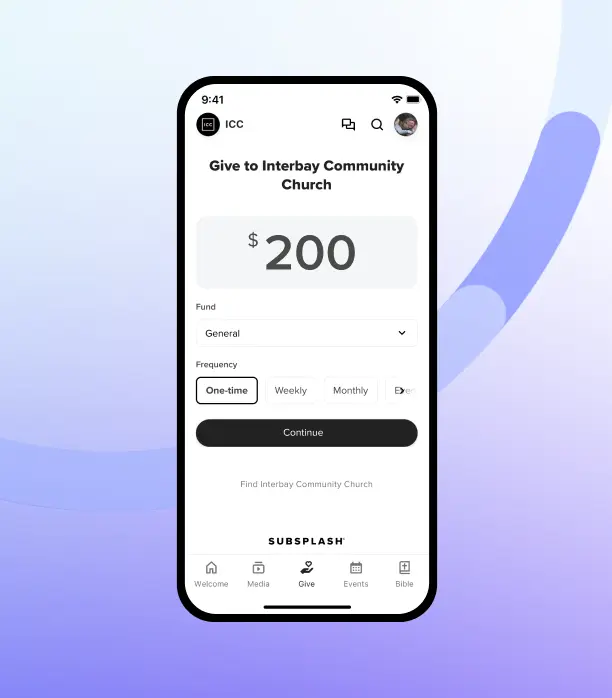
Your accounting software is only as accurate as the giving data that feeds it. Platforms like Subsplash Giving are designed to facilitate this. They offer a convenient way for members to contribute financially from anywhere, at any time, plus added benefits like:
- Centralized member information: See a member's donation history and personal details in one place.
- Automatic donation tracking: Track both digital and traditional cash and check donations.
- Reporting: Get insights into giving trends and generate comprehensive reports. You can also export donation data and reports.
- Budget-friendly: There are no setup fees, monthly fees, or hidden costs involved.
- Great donor experience: Providing a seamless way to donate can help you encourage a culture of generosity in your church.
- Funds and sub-funds: Donors choose where their gifts go and can split one gift across several funds.
- Transfer reconciliation: Mark every transfer as reconciled, with weekly or daily deposit options.
- Donation entry and bulk check scanning: Record cash and checks, and deposit 100+ checks with a single scan.
- Tax statements: Generate, download, and email year-end giving statements from your dashboard.
- No monthly fees: Subsplash Giving has no monthly subscription fee, and GrowCurve™ automatically lowers your processing rates as your giving grows.
Subsplash Giving™ lets people give in your church’s app, on your website, by text, by tap, and during live streams. Every gift lands in your Subsplash Dashboard with donor history and fund details attached.
If you choose Grain Ledger, your Subsplash Giving gifts, fees, and transfers sync automatically, with each fund mapped and each transfer matched to its bank deposit. You won’t need to export or reformat a single CSV.
[.blog-contact-cta]Schedule your free Subsplash Giving demo[.blog-contact-cta] and see how much time your finance team can save.
Frequently asked questions
What is the best free church accounting software?
Grain Ledger is our top pick because it’s built for churches and includes fund accounting, GAAP reports, and giving statements on its free plan. Zoho Books, Wave, ZipBooks, and Manager are solid general-purpose options for churches with simpler needs.
Can I get accounting software for churches free of charge?
Yes. All five tools on this list offer a free plan or free edition. Each one has limits, such as a revenue or expense cap, a single user, or one bank connection, so review those before you commit.
Do churches need fund accounting?
If your church accepts gifts designated for specific purposes, fund accounting helps you prove those dollars were used as intended. It also makes reporting to your board and donors much simpler.



.webp)