




The best group messaging app for church small groups (and why GroupMe, Messenger & texting fall short)
It’s Tuesday afternoon, and you need to send an important update to your Wednesday night small group leaders. You open your ministry spreadsheet to find their preferred communication channels, only to realize how fragmented your system has become.
One leader communicates entirely through GroupMe, two use Facebook Messenger threads, another has a WhatsApp group, and a fifth simply texts a massive group chat from a personal phone. You do not have access to any of these conversations—and you never did. This scenario is a structural obstacle that limits your ability to know, engage, and grow your church.
When your primary channels for community connection are scattered across five different consumer platforms, your church cannot effectively shepherd its people. This fragmentation used to be painfully obvious only during volunteer transition cycles or pastoral emergencies. But now, it’s an obstacle that you’re starting to face every day.
You end up chasing expired invite links and missed notifications instead of facilitating ministry. This constant friction drains your team's time, turning community coordination into an administrative burden that pulls your staff away from actual ministry.

Selecting the right group messaging app for your ministry
Building a lasting digital infrastructure starts with the right communication system. Selecting the right group messaging apps for your ministry is essential to keeping your community connected, safe, and aligned with your church's long-term vision. When communication fragments across multiple consumer platforms, church leaders lose visibility into their own congregations, making pastoral care difficult to maintain.
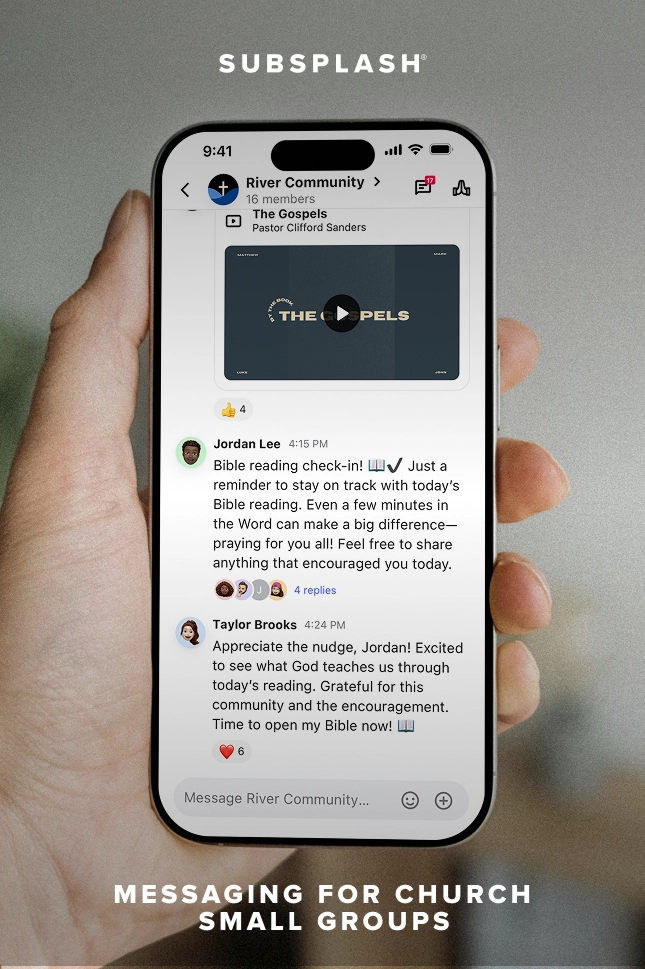
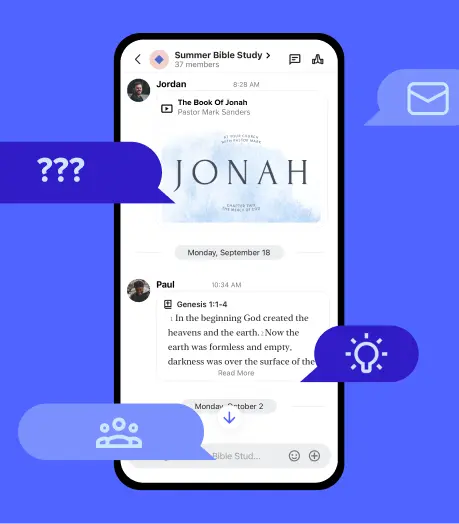
Subsplash Messaging provides a centralized, secure alternative that integrates directly with your church’s custom mobile application, ensuring your staff retains data ownership and administrative oversight.
Why generic group messaging apps break down for church small groups
Relying on consumer platforms to support your church small groups creates significant operational and pastoral vulnerabilities. While commercial chat platforms are highly accessible, they are built for casual social interaction rather than structured ministry oversight. When groups form on detached group chat platforms, leaders are forced to manage software that completely isolates group data from the rest of the church.
Over time, this fragmentation erodes the community experience and places an unnecessary administrative burden on your ministry staff.
When a volunteer leaves, your church loses the group chat
When a volunteer small group leader creates a group chat on an app like GroupMe or WhatsApp, that individual completely owns the channel credentials. If that leader rotates out of ministry, moves to a new city, or leaves your congregation entirely, they take the entire conversation history and member list with them. Your staff has no native way to reassign group ownership, remove old users, or retrieve important conversations without contacting the departed volunteer.
This is a recurring problem that disrupts pastoral continuity every single semester. Active church members may find themselves stranded in an orphaned chat thread, while your staff is left writing awkward text messages to ask a former volunteer for administrative access. When the church does not own its communication data, it cannot protect the connections its ministries have worked hard to build.
Stewarding your community communication tools requires an architecture where the church—not the individual volunteer—retains ultimate ownership of every channel.
How do churches manage group messaging privacy and moderation?
Consumer platforms like Facebook Messenger and GroupMe offer minimal administrative controls for church staff, making it difficult to protect vulnerable community members. If a public invite link to a group chat is accidentally shared online, external users can join the thread to post spam or inappropriate content. For church small groups that include minors, families navigating sensitive crises, or confidential prayer requests, this lack of oversight poses a serious safeguarding risk.
Without built-in privacy and moderation features, your staff remains completely unaware of problematic behavior until someone takes a screenshot and forwards it to a pastor. General-purpose platforms do not offer automated text filtering or dashboard-level monitoring to protect your digital spaces. This absence of parental and pastoral oversight leaves your congregation exposed to digital distractions and safety gaps. True digital stewardship requires proactive moderation tools that filter content before it ever reaches a member’s device.
Communication fragmentation equals discipleship confusion
When your small group communication lives on platforms surrounded by corporate advertisements, algorithmic notifications, and social media feeds, deep engagement becomes nearly impossible. Moving your people into a distraction-free church app is vital to fostering healthy, focused spiritual habits. When group chats are scattered across the internet, your staff cannot track who is actively participating, who has gone quiet, or who is drifting away from the community entirely.
This isolation directly impacts your ministry’s ability to counter the loneliness epidemic and the church by keeping people truly connected. When communication stays siloed, the groups that thrive are simply the ones led by naturally tech-savvy or highly communicative volunteers. The groups with less active leaders inevitably fade away because the church lacks the high-level visibility needed to step in and offer support. This fragmentation means that a critical component of your digital discipleship strategy is left entirely to chance.
What a purpose-built church messaging platform does differently
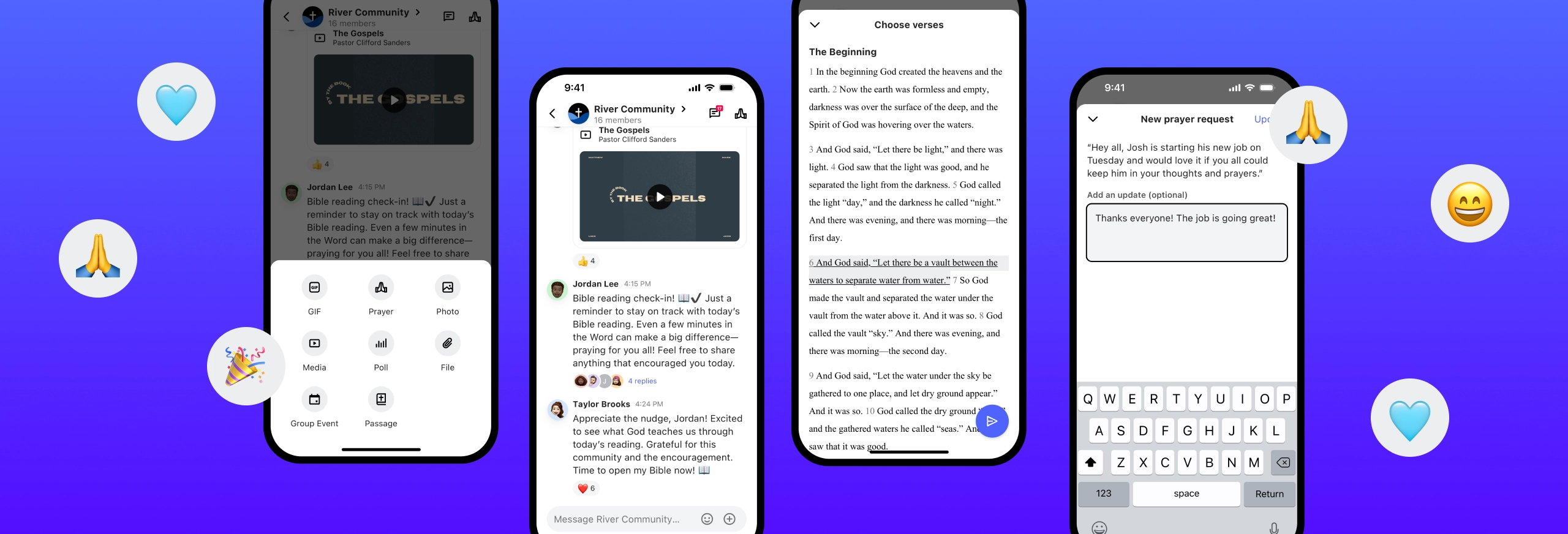
Churches need a communication ecosystem they fully own and manage — one that’s built for ministry, not casual social interaction. Subsplash Messaging was built to match the relational structures of local churches, keeping every conversation secure, focused, and connected to your broader ministry rhythms.
The church owns the channels—always
With Subsplash Messaging, your dashboard administrators maintain absolute ownership over every single group channel created under your church’s name. Staff members can easily create groups, assign new group managers, alter visibility settings, or dissolve threads directly from the central dashboard. If a volunteer leader rotates out of leadership, your staff can reassign that group to a new leader with a few clicks.
This setup completely eliminates the risk of credential loss and administrative data gaps. The conversation history, member directory, and group structure remain intact, allowing the new leader to step in without a single day of disruption. Your members never have to migrate to a new thread, and your staff never loses access to the community database.
Four tiered roles that mirror how your church actually runs
Our platform operates on a clear, four-tier role system designed to mirror how local church leadership actually functions. These roles include:
- Administrators: Dashboard-level church staff who oversee the entire communication architecture.
- Group Creators: Staff or key leaders authorized to build new group structures within the app.
- Group Managers: Small group leaders or volunteers who manage day-to-day chat participation and member approvals.
- Group Members: Congregation members who participate in active discussions and view updates.
This structure ensures that church staff members retain macro-level control over the system while empowering volunteer group leaders to shepherd their specific circles. Nobody can create a rogue, unmonitored group under your church’s brand without your administration’s knowledge.
Built-in moderation protects your congregation before problems start
To maintain a safe and encouraging environment for all ages, Subsplash Messaging includes automatic moderation tools directly within the software. Every text message and media file is automatically scanned for inappropriate content and explicit images before it is delivered to a user's screen. Group managers have the authority to delete individual posts, approve or deny incoming join requests, and change group visibility from public to private.
Furthermore, dashboard administrators have the power to instantly ban a problematic user across all messaging channels simultaneously from the main church dashboard. This security infrastructure protects your congregation from digital harassment and spam without requiring pastors to manually police every conversation.
Announcements that reach across groups
Subsplash lets administrators send church-wide updates directly to specific group types or every thread at once — keeping small groups anchored to your central teaching themes. Leaders can manage their event and announcement messaging straight from the central dashboard, ensuring that urgent prayer requests, weather cancellations, or ministry updates reach everyone instantly.
Members see these official announcements directly inline with their everyday group chat text, allowing them to reply in threads or react with emojis. This approach keeps your small groups deeply connected to the overarching life of the church rather than isolated in their own separate communication bubbles.
Group messaging is connected to your member data
Because Subsplash Messaging is built natively into the same platform that powers your church management software (ChMS), giving tools, and event check-ins, your group data never lives in isolation. When you choose to connect your group messaging with your group management system, your leadership gains a comprehensive view of congregational engagement.
Small group leaders can quickly see who has stopped attending gatherings, enabling them to follow up with personalized pastoral care. Communication directors can cross-reference group participation with volunteer schedules or giving records to see how effectively the church is moving people along their discipleship pathways. This unified architecture transforms a simple chat feature into a foundational piece of your pastoral care infrastructure.
How to move your small groups onto one platform
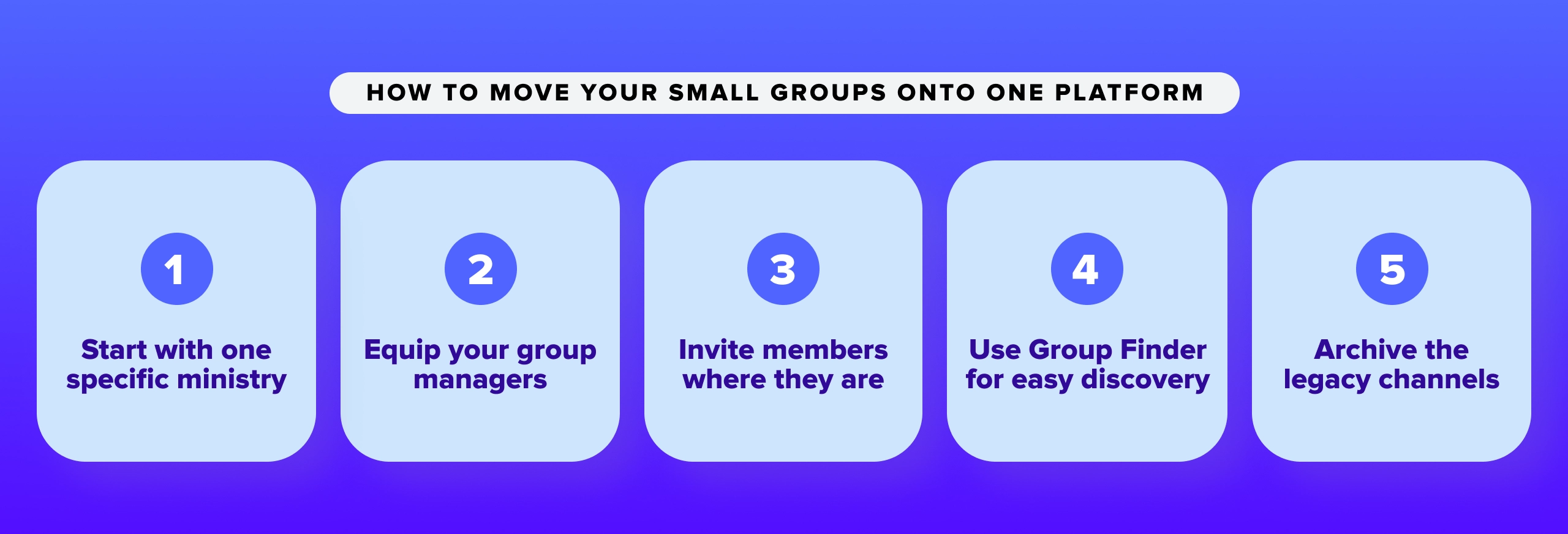
Migrating your entire congregation away from established apps like GroupMe or Facebook Messenger can feel like an overwhelming task. However, experience shows that a gradual, well-planned transition path yields much higher adoption rates than a sudden, forced change. By preparing your volunteer leadership team first and demonstrating the practical value of a unified app, you can transfer your community smoothly.
- Start with one specific ministry: We recommend launching your new communication strategy within a single department—such as your adult small group ministry—before expanding church-wide. Select a small group of early-adopter leaders to test the system, gather internal feedback, and establish healthy messaging rhythms.
- Identify and equip your group managers: Assign your existing small group hosts as Group Managers within the Subsplash dashboard. These volunteers do not need to learn a complex technical system; they simply accept an email invitation and begin interacting through the church mobile application they likely already use for media and tithing.
- Invite members exactly where they are: Subsplash makes it simple for group leaders to send direct invitation links via text message or email. This minimizes onboarding friction for members who are accustomed to chatting on consumer apps, allowing them to join their new secure group in seconds.
- Use Group Finder for easy discovery: You can surface your open small groups on your church website and mobile app using our integrated Group Finder tool. This feature allows new visitors and long-time attendees to browse open groups, view meeting times, and request to join without requiring manual office administration.
- Archive the legacy communication channels: Once your members have successfully migrated into the church app, instruct your group managers to formally close or archive their old GroupMe and WhatsApp threads. Leaving legacy chats active creates confusion, fragments your messaging strategy, and undermines the security benefits of your new system.
Frequently asked questions about church group messaging
What is the best group messaging app for church small groups?
The ideal group messaging tool for church ministries is an application that the church fully owns, manages, and administers. Subsplash Messaging provides church staff with complete dashboard-level oversight, automatic text and image filtering, and the capability to instantly update or reassign group leaders without losing access to historical channel data.
What happens when a small group leader leaves and takes the group chat with them?
In apps like WhatsApp or GroupMe, the individual creator retains full ownership of the chat credentials and member details. If that volunteer steps down or leaves the church, the ministry loses all visibility and control over that community space. Subsplash Messaging ensures that dashboard administrators always hold the master architecture, so they can reassign group leadership without any disruption to the community.
Can Subsplash Messaging replace GroupMe or WhatsApp for church groups?
Yes, Subsplash Messaging fully replaces consumer chat apps while adding essential ministry features that secular platforms cannot provide. These benefits include automated image and text moderation, tiered leadership roles, coordinated church-wide announcement delivery, and direct integration with your church management software, online giving, and weekly attendance data.
Is Subsplash Messaging free?
Subsplash Messaging is included as a core feature of the Subsplash Platform. Ministries utilizing Subsplash One have full access to Groups & Messaging tools alongside their custom mobile apps, media storage, website builders, and church management software. You can contact our team directly to find out exactly how to activate these communication features on your current plan.
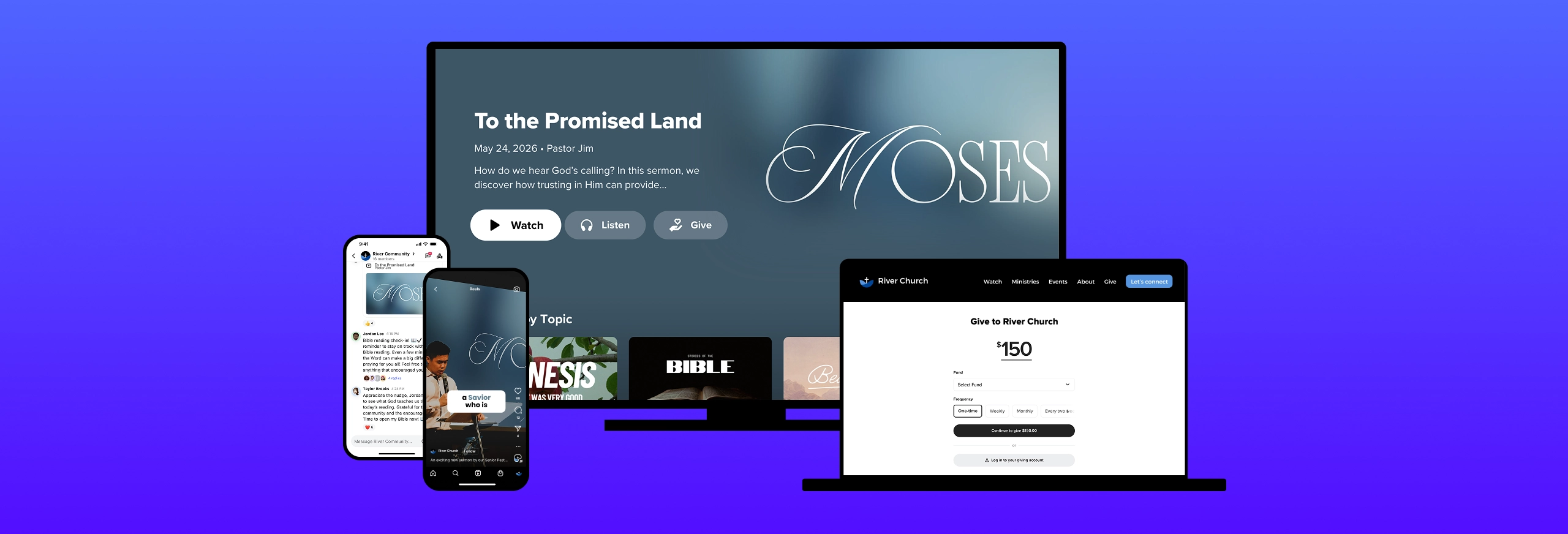
Discover the complete platform built for churches
Every small group operating within your church represents a group of people who have actively chosen to pursue deeper biblical community. When the communication lines for those groups are left on secular platforms that your church cannot secure, manage, or monitor, your ministry has outsourced an essential aspect of its discipleship pathway.
The complete platform built for churches ensures that you retain data stewardship, maintain high safety standards, and keep your community safely connected under one digital roof. Partnering with a team that values ministry over corporate ad revenue allows you to protect your congregation and foster real spiritual growth.
If you’d like to learn how your church can benefit from using Subsplash’s unified platform, [.blog-contact-cta] let’s chat [.blog-contact-cta] to see Subsplash Groups & Messaging in action!


.webp)