





Easter is one of the most exciting Sundays of the year—and also one of the busiest! Pastors are preaching their Easter sermons to multiple services. Admins are juggling Easter programs, volunteers, and connection cards. Staff members are welcoming a wave of first-time guests. And the powerful story of Resurrection Sunday is shared and heard around the world.
Then Monday hits. Connection cards are stacked on desks. There are more Sundays and events to plan for. Organization and communications are crucial. On Monday morning (or perhaps Tuesday if your church participates in Easter Monday!), Staff meetings revolve around one big question: How do we follow up with everyone who just walked through our doors?
The good news? There’s a wonderful solution that can make your life so much easier!
With Subsplash Workflows, you can transform the chaotic post-Easter rush into a streamlined, automated, and highly efficient process. Instead of chasing spreadsheets and sticky notes, your team can track every guest journey, assign clear next steps, and ensure no one falls through the cracks.
Here are six practical ways church leaders can simplify Easter follow-up using Subsplash Workflows.
1. Organize your Easter guests with a digital board
Easter often brings a high volume of new guests, making it easy for people to get lost in the shuffle. Without a clear system, your brand-new Easter guests are at risk of experiencing zero follow-through, a lack of intentional communication, and clear next steps.
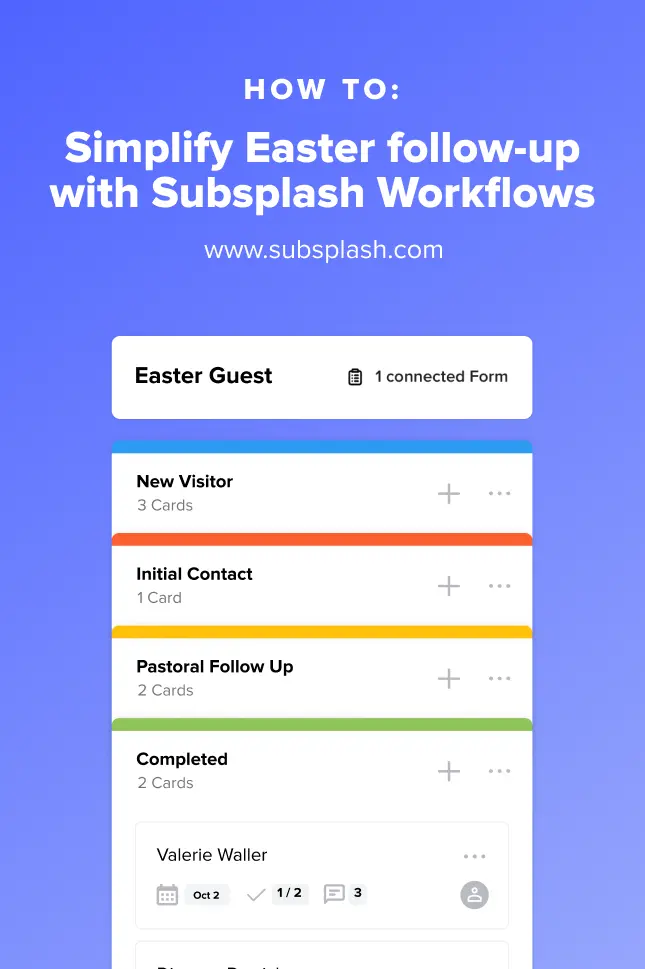
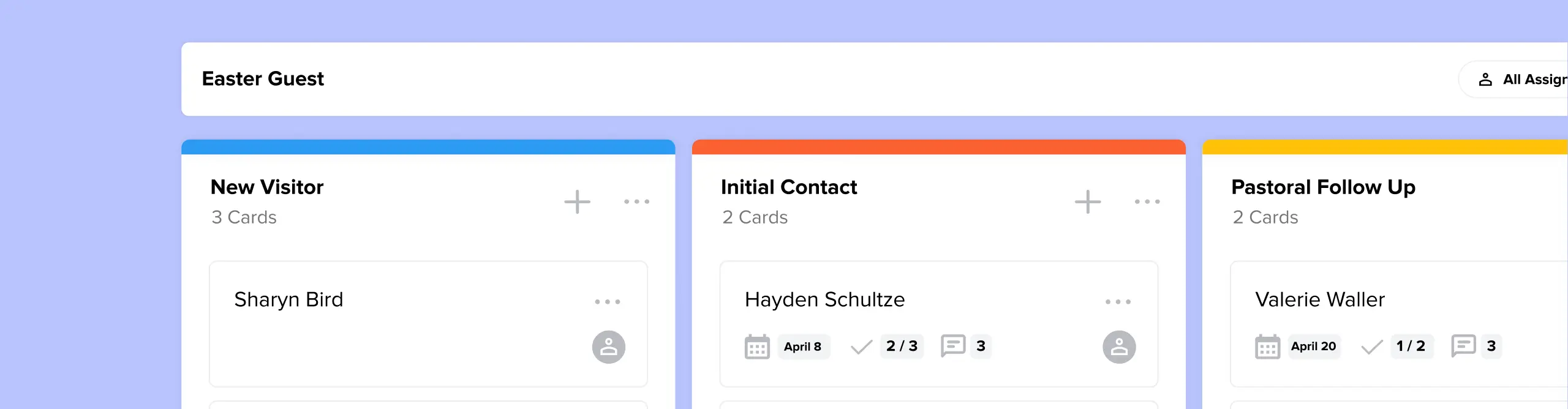
Using Visual Process Management in Subsplash Workflows, our digital kanban-style board makes it easy and simple to track every guest’s journey in one place. Here’s an example of how to use your board for organized Easter follow-up:
- Column 1: New Visitor
All digital connection form entries automatically land here, and physical connection cards can easily be added. - Column 2: Initial Contact
A volunteer or staff member is assigned to send a personal text or email. - Column 3: Pastoral Follow Up
Guests going through a tough season, or express interest in getting involved are moved here. - Column 4: Completed
Guests who complete the workflow, or are moved into another workflow—like for baptism, volunteering, or membership—are celebrated here!.
As you can see, Workflows makes it easy to organize and track your new Easter guests’ next steps at your church. Instead of wondering who has been contacted, leaders can simply glance at the board and see exactly where each guest stands. It’s visual, collaborative, and easy to manage—even after Easter Sunday!

2. Automatically assign follow-up with a “New Visitor” Workflow
Next, it’s time to assign follow-up with a new Easter visitor. Manual delegation slows everything down. But with a “New Visitor” workflow, you can automatically assign follow-up tasks to pastors and staff members the moment a guest submits their information.
That means no more forwarding emails. No more missed handoffs. No more “I thought someone else was handling that.” No more guesswork for pastors, leaders, volunteers, and staff. No more missed connections!
Each task is clearly assigned, visible, and trackable—which creates clarity, momentum, and follow-through right after Easter Sunday.

3. Maintain accountability with timely checklists
A warm Easter welcome can quickly turn cold if follow-up drags into the next week, or even beyond. That’s where checklists and due dates make all the difference
You can add instructions and checklists for sending a welcome email, making a phone call, or inviting visitors to a small group. For example, to ensure a warm welcome doesn’t turn cold by Tuesday, you can use Due Dates and Checklists.
Due dates in Workflows can be either a hard date (such as Monday at 10:00 AM), or can be set for a certain time period, such as “in X days/weeks” after it was added to the step. This helps church admin stay on top of next steps and ensures nobody falls through the cracks. Here’s how it works:
Easy setup: For every new visitor card created, a pre-set checklist automatically appears:
- Send “Thanks for joining us” email
(Due: Monday, 10:00 AM) - Send post-Easter push notification
(Due: in next 7 days) - Make phone call regarding prayer requests
(Due: Wednesday, 2:00 PM) - Invite to upcoming “New to Church” lunch
(Due: Friday, 12:00 PM)
Clear visibility: With progress tracking, leaders can quickly visualize:
- How many Easter guests have been contacted
- Which follow-ups are overdue
- Who is responsible for each step
The first 24–48 hours after Easter are critical. A delayed response can unintentionally communicate that their presence wasn’t noticed. But intentional communications with emails, push notifications, phone calls, and more help visitors feel valued at your church.
With checklists, every step is clearly outlined so volunteers or church admins don’t have to guess what to do next. This level of accountability ensures your team follows through—and your guests feel genuinely cared for.
By setting checklists and due dates for initial contact, you ensure every guest receives a timely response. Instead of hoping someone remembers to reach out, your workflow keeps the timeline front and center.

4. Connect Workflow cards to guests’ People Profiles
When someone takes the time to fill out a connection card, they’ve already shown interest and a desire to be contacted and stay connected to your church. In our busy modern world, it’s up to churches to take the initiative and reach out afterwards!
After Easter, it’s common for guest information to live in multiple places—a connection card spreadsheet, a pastor’s notebook, someone’s email inbox, maybe even a sticky note on a desk or a note on someone’s phone. But the more disconnected your data is, the harder it becomes to care for people well and follow up appropriately.
That’s why connecting Workflow cards directly to People Profiles is such a powerful step. When a Workflow card is linked to a person’s profile, everything about that guest lives in one centralized hub. In one place your team can see:
- Contact information
- Family members
- Group involvement
- Giving history
- Progress through follow-up steps
Everything lives in one place. No duplicate entries. No searching through email threads. Just a clear, organized record of each guest’s journey. Instead of piecing together fragments of information, your team can instantly see the full picture of someone’s engagement with your church. This makes every interaction more personal and more informed.

5. The “First-Time Guest” automation
One of the most powerful ways to simplify Easter follow-up is by automating the trigger itself. That means when a visitor fills out a digital connection card, it automatically triggers a Workflow. Instead of manually entering data from physical connection cards, you can start the process digitally from the beginning.
Here’s how it works:
- The Trigger: A visitor fills out a Subsplash Form through your church app, by tapping a connection disk, or by scanning a QR code in your Easter program or sermon slide.
- The Workflow: That action automatically creates a new card in your “Easter Follow-Up” workflow board—Wow!
- The Action: The system can immediately notify a specific staff member and link the card to a People Profile so you can see the guest's contact history at a glance.
By the time Easter service ends, your follow-up process is already in motion. Whether people are added through an automation, or added by manually entering their info from a connection card, the “First-Time Guest” automation means you’re not starting from scratch.
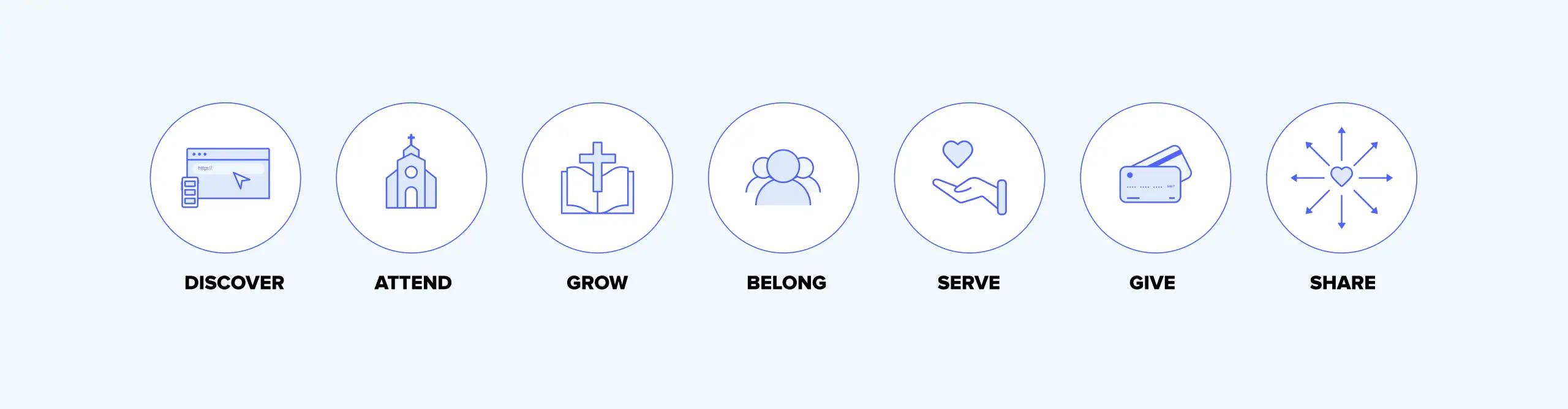
6. Track every Easter visitor from “First Visit” to “Fully Integrated”
Easter follow-up isn’t just about sending one email or making one phone call. Without a clear tracking system, it’s easy to lose visibility after that initial contact. Someone attends Easter. They get a welcome email. Maybe they come back once. And then what? It becomes unclear where they are in the process.
Instead, Workflows is about helping people move from:
First Visit → Second Visit → Small Group → Serving Team → Membership → and more!
With Workflows, you can track that entire journey in one organized system. Instead of viewing follow-up as a one-week task list, you can design a clear pathway that reflects your church’s discipleship process. Each stage can have its own workflow step, assigned owner, checklist, and timeline. Rather than hoping people “naturally” move forward, you intentionally guide them and track progress along the way.
Make Easter follow-up simple this year
Easter Sunday will no doubt be busy, but it doesn’t have to be chaotic.
With the right systems in place, your church can replace uncertainty and silence with intentionality, accountability, and automation.
This Easter, don’t just celebrate a full room. Build and rely upon a stable follow-up system that helps place those special Easter guests on a path to becoming fully integrated members of your church community!
[.blog-contact-cta]Schedule a free demo today [.blog-contact-cta], and see how your church can simplify follow-up this Easter.
More resources you may find helpful:
- With Subsplash Workflows, nobody falls through the cracks
- Free Easter Graphic Templates for 2026: Save hours on design & prep!
- Enable Guest Giving for visitors this Easter
- 10 Inspirational Easter sermon ideas for pastors
- Jesus is risen! 13 engaging Easter Sunday school activities
- 21 delightful Easter program ideas for churches
- Post-Easter push notifications: Ideas, tips & templates
.webp)


.webp)
.webp)
.webp)