



Between dropping live streams, duplicate member records, and three overlapping software invoices, managing church digital systems often feels like constant damage control while balancing dozens of competing digital priorities at once.
Over the past few years, many churches have added software piecemeal: a live streaming provider here, an online giving tool there, a standalone website host, and a church management database to track it all. While each software purchase solves an immediate need, the resulting network of disconnected accounts creates administrative friction, higher monthly expenses, and confusion over who on staff owns each system.
Building an effective church digital strategy framework requires moving away from reactive software decisions toward a structured, owner-led plan. When your team establishes clear quarterly goals and assigns specific staff leads, you eliminate redundant tools and reclaim time for direct ministry.
This guide outlines a practical 12-month operating plan that simplifies your technology, clarifies team roles, and measures meaningful community connection.
What hybrid ministry looks like today
Data from the Pew Research Center Religious Landscape Study reveals that modern church participation follows a flexible pattern. Attendees split across in-person attendance, online participation, or a mix of both throughout any given month. Furthermore, another study on online religious services found that two-thirds of regular digital churchgoers watch services online weekly, and many use scripture apps for mid-week reflection.
Digital tools do not replace the local gathering—they extend your digital front door and sustain daily community connections. Treating your hybrid ministry as a deliberate extension of your sanctuary ensures that online visitors receive a clear path toward in-person fellowship and discipleship.
Building a sustainable hybrid church strategy starts by getting your existing tools under control before adding new ones. Let’s take a look at how you can build your own church digital strategy and create a practical framework for the next year.
Creating a church digital strategy: Steps for the next 12 months
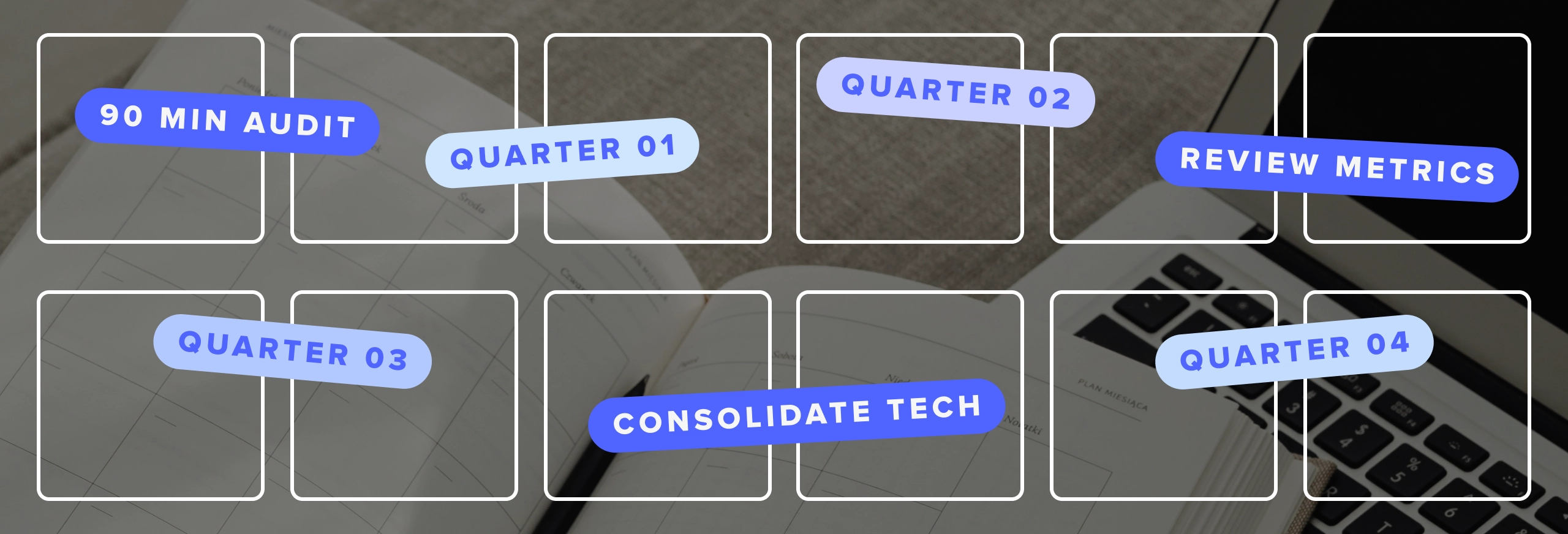
Start with a 90-minute audit
Before picking software or assigning tasks, sit down with key staff for a 90-minute evaluation. Gather your operations lead, communications director, and finance administrator in one room with past software invoices and administrative logins.
Review these ten concrete audit items to assess your current church systems:
- Software inventory & recurring costs: List every platform, annual cost, auto-renewal date, and original buyer.
- People data duplication: Check how many separate systems store member contact records and how often those records sync.
- Mobile findability: Test how your website loads and looks on a mobile phone screen, checking service times and directions.
- Stream reliability: Evaluate stream dropouts, audio quality, and hosting stability over the past 90 days.
- Publishing workflow lag: Track how many days pass between service completion and sermon media availability online.
- Administrative access hygiene: Remove old staff members, former interns, and inactive volunteers from software admin lists.
- Recurring giving proportion: Calculate the percentage of total donors using automated recurring gifts compared to one-time gifts.
- Volunteer onboarding friction: Map how many manual steps and separate communication tools a volunteer encounters before serving.
- Information flow: Identify where digital visitors fall out of the next-step pipeline after filling out a digital connect card.
- Core leadership questions: Determine the exact metrics your board asks to review each quarter during business meetings.
The 12-month church digital strategy framework, quarter by quarter
This framework functions as an adaptable church digital strategy template for staff teams serving 200 to 2,000 attendees. Assigning one owner per quarter keeps systems accountable, prevents staff burnout, and establishes a clear digital ministry plan.
Quarter 1: The executive pastor or operations lead focuses on auditing systems and eliminating administrative bloat. This phase centers on closing unused software accounts, cleaning up duplicate contact records, and establishing a single source of truth for church data. Fixing live stream drops during this period ensures that your primary digital front door operates reliably.
Quarter 2: The communications pastor takes ownership of your web presence and digital giving channels. Modernizing website navigation for mobile devices allows new visitors to find directions, kids ministry information, and service times easily. Streamlining online giving forms reduces friction for givers, while clear digital connect cards create a reliable pipeline for newcomer follow-up.
Quarter 3: The discipleship or groups pastor leads the effort to connect congregants between Sundays. Launching a custom church app centralizes sermon media, group messaging, and prayer requests into one dedicated space. Automating your sermon publishing workflow ensures that Sunday messages reach app users and podcast subscribers without manual file transfers on Monday morning.
Quarter 4: The executive pastor and communications director review platform performance and prepare future budgets. Evaluating church digital engagement metrics gives your leadership team clear data regarding recurring giving, media reach, and member retention. This final review allows your board to make informed financial decisions based on total cost of ownership.
What to fix first when budget & staff are thin
Churches operating with small teams or tight budgets should prioritize essential operations over expansive feature sets.
Follow this four-step sequencing order when resources are constrained:
- Reliability: Fix broken live streams, audio issues, and outdated website links before launching new platforms.
- Findability: Ensure service times, directions, and basic contact info are clear on mobile screens within seconds.
- Consolidation: Pursue church technology consolidation to eliminate duplicate software costs and reduce staff maintenance time.
- New channels: Add custom apps, podcasts, or specialized tools only after core web and giving systems run smoothly.
Small ministry teams have explicit permission to slow this timeline down. If staff or budget constraints prevent a fast rollout, run Quarter 1 and Quarter 2 across eight full months and push Quarter 3 into your second year. Developing a sustainable church digital strategy template matters far more than rushing features you cannot maintain over time.
Six metrics worth reviewing every quarter
Measuring digital success requires moving beyond surface view counts. In a 2020 study, Barna Group research on measuring digital engagement indicated that most pastors evaluated digital ministry using raw view counts.
But later research from on digital attendance suggests that “surface metrics” fail to measure true discipleship. Today, the emphasis has now become about tracking relational steps over passive views.

Evaluating church technology consolidation options alongside these metrics helps keep software expenses aligned with actual engagement. Review these six core numbers during every 90-day evaluation:
Reviewing these numbers every 90 days prevents sudden financial surprises and highlights administrative bottlenecks early. Monitoring the hours required to publish media reveals whether your staff workflow needs simplification. Tracking recurring giving percentages helps finance teams project annual budgets with greater accuracy, while monitoring database phone accuracy ensures your pastoral care team can reach members directly.
Where Subsplash fits in your 12-month digital ministry plan
Software should serve your strategy, not define it. Selecting the right church tech platform happens after you establish operational ownership and identify your core ministry goals. Selecting software too early often forces your team to adapt your ministry processes to vendor limitations rather than serving your church’s unique mission.
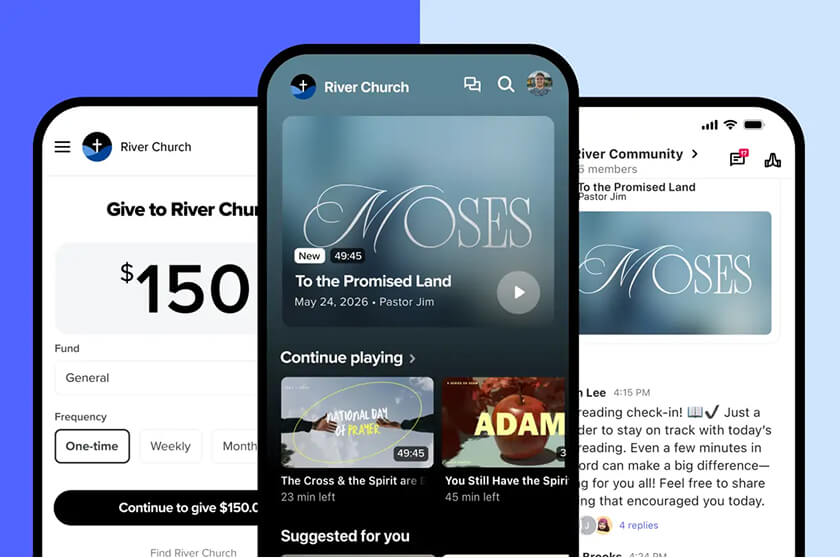
Once each quarter has an owner, the tool question gets easier to answer. In Quarter 1, your operations lead is closing accounts and merging duplicate records, and Subsplash One fits that work. It brings your entire digital ministry onto a single, complete platform—for your congregation and staff. In Quarter 2, your communications pastor can build on that foundation with Subsplash Websites, which includes hosting, mobile-responsive templates, automated SEO, and Subsplash Live and giving integration. The drag-and-drop builder keeps updates like service times and directions in your team’s hands.
Quarter 3 is when your discipleship or groups pastor works to extend your church beyond Sunday. A custom church app gives you branded apps for iOS, Android, and TV, and Subsplash Media publishes each sermon to your app, website, and podcast with one click. Live streams archive to on demand automatically, which ends the Monday morning file transfers. By Quarter 4, you’re ready to review what’s working. Trends AI brings your people, giving, and attendance data into one AI-assisted analytics hub, where you can search in plain language and build custom charts.

Your next 90 days
Turn this framework into immediate action. Print the audit checklist, schedule a 90-minute meeting with your key leaders, and write down at least four staff names next to each quarter of your 12-month digital ministry plan. Establishing clear quarterly owners ensures your church digital strategy plan moves from a document in a drawer to an active operational schedule.
If your audit turns up more invoices and more conflicting lists than you expected, bring those findings to us! [.blog-contact-cta]Schedule a free demo[.blog-contact-cta] today to discover how to bring your entire digital ministry onto a single platform.