

.webp)


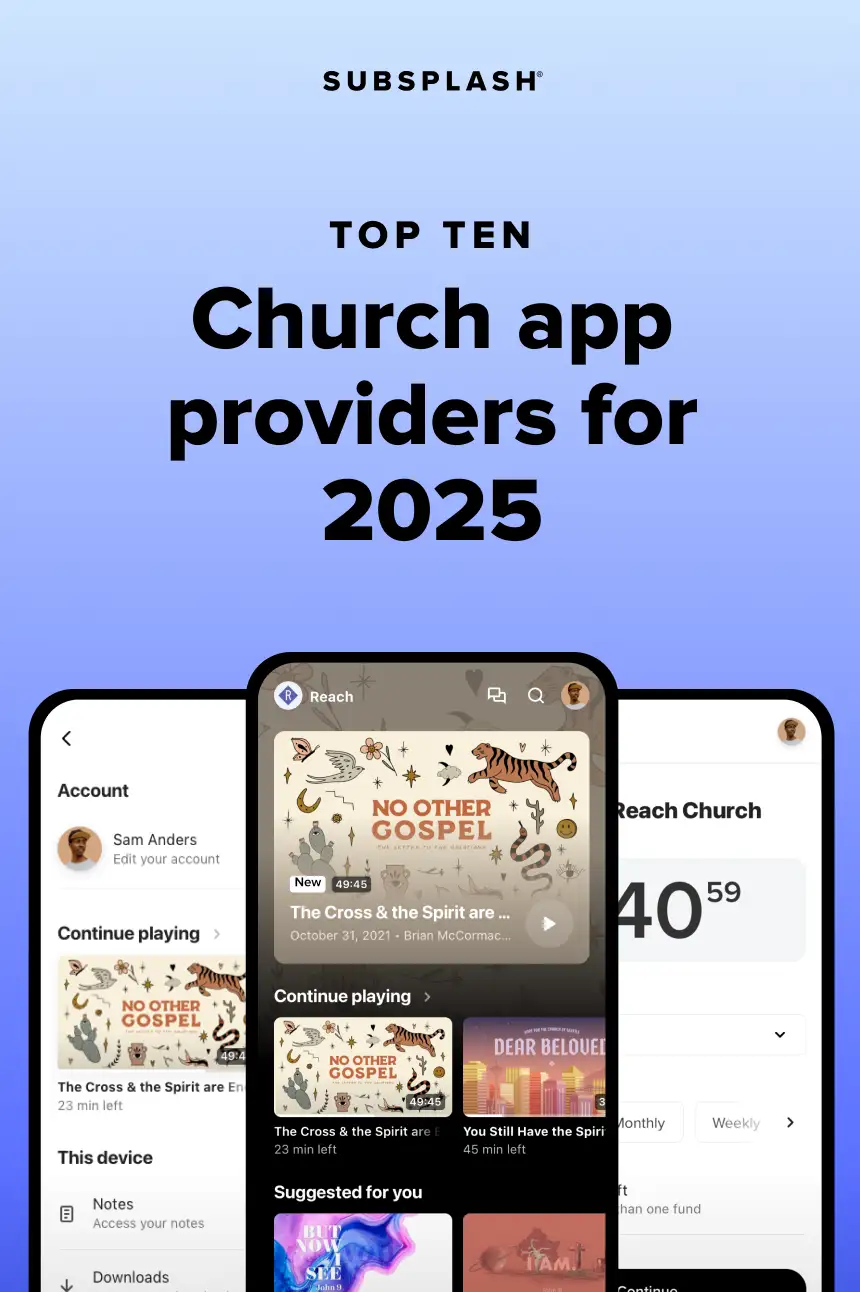


Is your church considering a church mobile app? You’re in the right place!
By choosing to create an app for your church, you can help your church exponentially grow your reach and more effectively serve the needs of your community. Not only that, you’ll be reaching the younger generations who prefer mobile communications!
Today, 88% of people spend their mobile time on apps, not websites
In today’s increasingly mobile-first society, tens of thousands of churches are experiencing firsthand how a church app can enhance communication and deepen connections within their congregations.Getting started with a church mobile app can seem daunting, but it doesn’t have to be. To help you decide how to take the next right step, we’ve put together a comprehensive church app guide for your convenience. Let’s take a quick look at primary reasons for getting a church app, explore the top 10 best apps for churches, and discover how to choose the best option for your church!
Table of Contents
Simply having a mobile-friendly website just isn’t enough to engage your congregation on mobile. Recent data shows that the average person spends over four hours a day on their smartphones, and 88% of that time is spent on apps.
People enjoy the convenience and personalization that an app for churches provides through powerful features as well as amazing engagement benefits such as easy online giving, push notifications, live streaming, and more!
Every app feature brings your community together within your church app, making it the go-to place where your people can connect with each other, stay updated, and engage with your gospel-centered content.
Some church providers also offer an optional “container app.” A container app provides a lightweight version of a church app contained within a larger app maintained by the app provider. Users can download a container app, search for their church by name or location, select their church’s name or logo, and launch the app.
For example, The Church App is a container app from Subsplash and is available to churches using their platform. (Download The Church App here to try it out!) Container apps are distinct from “standalone” apps that are available in the app stores to keep your church’s brand front and center, and some providers—like Subsplash—offer both options to suit various ministry needs.
So which church app platform is best suited to meet your ministry’s unique needs? Let’s take a look at the top 10 church app solutions, what they offer, and how they can help your ministry.
Subsplash created the very first church app in 2009 and continues to be the industry leader in mobile discipleship and church technology. You can learn more about our story here and the underlying passion that drives our technological innovations—to glorify God and empower churches in today’s digital era.
Subsplash offers an all-in-one platform, Subsplash One, designed to engage church communities through a seamless combination of digital tools. It includes custom mobile apps, live streaming and media hosting, a drag and drop church website builder, the free Subsplash Giving, and more—all within a single centralized system. Subsplash reports that churches using the platform often see significant increases in engagement, media consumption, and giving.
The Subsplash Platform provides a truly customizable, beautiful app that keeps your church’s brand front and center. Your app will encourage daily discipleship by easily connecting people with your church’s content, such as sermon videos, Bible reading plans, and live streams!
Additionally, your users will love having a personalized experience with access to their volunteer schedules, giving data, group messaging, and even their media watch history. Churches using Subsplash experience much richer engagement that encourages people to use your church app and access your content, like sermon videos, live streams, and group messaging—all within one place.
Exclusive features
The Subsplash Platform is highly regarded by many churches for its native media player that hosts your gospel-centered content and delivers it directly to your church mobile app, website, and social media channels. In other words, your church can stop relying on platforms like YouTube and Vimeo as your primary streaming sources.
Instead, one-click publishing allows you to upload your media to a single dashboard and watch it update instantly across all of your digital channels, including your website, apps (mobile, TV, car), and podcast—freeing up hours of your time every week.
Powerful resources
Only Subsplash offers world-class discipleship resources from The Chosen, Ligonier Ministries, Bible Project, and Wild at Heart—provided at no extra cost—right within your church’s mobile app. People will love having access to these powerful resources and be encouraged to engage with the Bible every day!
Subsplash apps for churches are also integrated with a unified platform that includes online giving, group messaging, SMS text messaging and email, church management, media player, live streaming, church websites, and event management.
Top church app features
- Community building Group Messaging
- Native media player
- TV apps
- Apple CarPlay & Android Auto apps
- Personalized user experience
- Customizable layouts & unlimited page builder
- Online giving
- Push notifications
- Live streaming with giving prompts
- On-demand media
- Sermon notes
- In-app Bible & reading plans
- Branded app in top app stores (Apple/iOS, Google/Android, Amazon)
- Church app dashboard for deeper insights
- Volunteer schedules
- Blogs & news feed integrations
- Google Cast & AirPlay
- Dedicated Client Success Manager & onboarding team to get your app live
- Container app (optional)
- Software integrations
- And much more!
Subsplash offers the most powerful church apps for sharing your content and engaging your people every day of the week. Click here to [.blog-contact-cta]schedule a free demonstration for your church![.blog-contact-cta]
The MinistryOne app is designed to help churches manage their digital presence and engage with their congregation. It offers a simple church mobile app that can be customized with a church logo and background color.
Their basic app is offered as a free add-on with other services offered by their parent company Ministry Brands, such as easyTithe, FellowshipOne, or ShareFaith. However, it’s important to note that their add-on version is a “container app.” They offer a paid upgrade version of their app that includes publishing a custom-branded app on the app stores.
Pros: MinistryOne church apps offer some basic features that can be helpful for their customers looking to try out an entry-level app experience. No code, design or layout skills needed – simply customize to your needs with their app editor.
Cons: While their church app does offer foundational features, it has limited customization options and is missing important discipleship resources—such as an in-app Bible, reading plans, and sermon notes—which are important for encouraging your people to engage with your content on a daily basis. Also, their “free” add-on version of their app is a container app rather than a custom-branded app, creating more steps for their users to find and use their app.
Top church app features
- Sermons & prayer requests
- Live video streaming
- Event registration
- Push notifications
- Online giving
- Container app (optional)
The GoChurch App offers a mobile app with basic features and a simple interface for churches to share their videos, events, and online giving with their communities.
Pros: The GoChurch App helps their users give online, receive push notifications, see events, and watch videos.
Cons: The GoChurch App lacks advanced customization options and built-in discipleship resources. This means their clients are required to link to external websites in order to provide access to live streaming, Bibles, and other content, creating more work for church staff. This can also make their app feel more like a mobile browser than a branded church app, thus creating a limited in-app experience.
Top church app features
- Online giving
- Push notifications
- Event schedule
- Website links
- Forms
- Video & audio player
- Branded app in the app stores
- Geofencing notifications
- Membership & group capabilities
- Sermon & teaching notes
.webp)
Pushpay is a tech company founded to help churches and other organizations collect donations online, and they also offer a mobile app for churches.
Pros: Pushpay’s church app includes features such as online giving, push notifications, live streaming, and a media player.
Cons: Pushpay’s primary focus leans towards giving—designed to promote making/receiving digital donations—and this is reflected in their app experience. It’s important to note that their media player does not host church content but rather relies on third-party integrations with services like YouTube. If a Pushpay customer uses Resi (a Pushpay brand), however, that content is hosted on Resi.
It also lacks community engagement features such as group chats, as well as some basic discipleship resources, such Bibles and reading plans. Churches can link up to external resources, but this requires more time and resources from church staff and volunteers. This can also feel clunky as it takes users away from the church app experience into another website or mobile app experience.
Top church app features
- In-app giving
- Push notifications
- Live streaming
- Event schedule
- Check-in
- Audio & video player
- Sermon notes
- Branded app in the app stores
- Container app (optional)
- Software integrations
- Group capabilities
Similar to Pushpay, Tithe.ly is an online giving platform that also offers a mobile app to help their customers engage with their communities.
Pros: Tithe.ly has added features to their app for churches that allow users to donate online, receive push notifications, share prayer requests, and stay current on upcoming events.
Cons: Tithe.ly’s app lacks some important engagement tools, such as a native live streaming feature and Bible reading plans. Relying on third-party integrations can be more difficult to manage and create some user confusion as they interact with software that is not part of the app.
Top church app features
- In-app giving
- Push notifications
- Media player with live & on-demand
- Bible & prayer wall
- Group messaging
- Newsfeed
- Sermon notes
- Event calendar
- Integrations for blogs & social media
- Branded app in the app stores
- Container app (optional)
- Drag & drop builder
- Software integrations
Church Center is a church app powered by Planning Center products. Their app is exclusively a “container app,” which means churches cannot have their own custom-branded app in the app stores. The Church Center app integrates with some of their church management tools such as community groups, event calendars, and volunteer management.
Pros: Church Center’s strength is centered around its practical applications. Church leaders can use the app to manage their church's events, track attendance, and communicate with members. Members can chat, watch live streams or on-demand videos, and give online.
Cons: Because the Church Center app is only available as a container app, there is no option to publish a branded church app on the major app stores, thus making it more difficult for people to discover and use the app. Their live streams and on-demand videos depend on using third-party embeds and hosting, such as YouTube, which can include ads and other distracting content.
Engaging people on a deeper level can be a challenge as it lacks basic but important discipleship resources such as a Bible and reading plans. It also lacks basic customization options such as changing layouts and visuals.
Top church app features
- Online giving
- Group chats
- Event registration
- Event & volunteer scheduling
- Child check-in
- Live streams & on-demand video
- Sermon notes
The branded ChMeetings church app is a customized version of ChMeetings that can be integrated into an existing ChMeetings account. Through the more customizable version, you can add your church’s branding.
The branded app version is fully managed by the ChMeetings team. Churches do not need to worry about app maintenance or updates—any changes to ChMeetings’ core features are automatically reflected in the branded version.
Pros: ChMeetings is a "No-Code Church App Builder," meaning that coding is not necessary for your app. However, it's important to note that this benefit is found with several other church app providers on this page as well. It also supports 20 different languages, making it accessible to diverse congregations around the world.
Cons: Limited branding customization—no layout overrides are possible. That means that any design or structural app changes need vendor involvement.
Top church app features
- Customizable church branding
- Personalized login screen
- Container app optional
- Online giving
- Volunteer sign-ups
- Group engagement tools
- Branded app in app stores
SecureGive is another online donation-focused company that offers their customers a simple app for church use. SecureGive offers a customizable church app designed specifically to streamline giving and enhance member engagement. The app allows churches to brand the experience with their own logo, colors, and messaging.
Pros: SecureGive has a church mobile app that can help churches donate online, watch videos from YouTube or Vimeo, and stay current with upcoming events. SecureGive’s church app is tailored for ease of use, both for congregants and church administrators. SecureGive handles the technical setup. Integration with giving tools and back-end analytics simplifies financial tracking and donor engagement.
Cons: SecureGive’s church apps come with a very limited number of features. Like most church mobile app providers, they rely on third-party integrations and embeds for their media and Bibles. This can cause extra work for your teams managing the app, as well as an unpleasant experience for end users. Additionally, while the app is highly functional, it’s part of the broader SecureGive system—so churches must already be using or willing to adopt SecureGive’s giving platform. For smaller churches or those looking for a free or standalone app, this could present a barrier.
Top church app features
- In-app giving
- Custom branding
- Live streaming & media
- Podcasts
- Management
- Push notifications & location-based alerts
Apollos enables churches to launch custom-branded mobile and TV apps across all major platforms—iOS, Android, Apple tvOS, Android TV, Fire TV, and Roku—ensuring seamless access across devices. Their app is designed to provide a personalized experience, reinforcing your church’s branding, and to offer tools that help know your people through personalized discipleship, unique branding, and community connections.
Pros: The Apollos App offers daily discipleship tools, like prayer prompts, journaling, and habit tracking, helping to foster spiritual growth consistently throughout the week. Community features such as group chat, prayer sharing, online giving, and follower-based interaction encourage deeper engagement.
Cons: To fully leverage the Apollos App, churches often need to integrate with Church Management Systems (ChMS) and configure third-party tools for analytics and notifications (e.g., OneSignal). This can require technical knowledge or support, which may be a barrier for churches without IT staff.
Top church app features
- Online giving
- Prayer requests
- Bibles
- Media player
- Branded app in the app stores
- Mobile & TV apps
- Daily habits tracker
- Personalized recommendations
- Push notifications
- Integrations
- Dashboard analytics
The Appy Pie Church App Builder enables churches to build their own branded mobile app for iOS and Android. Users select from church-specific templates and drag-and-drop features like sermon streaming, event calendars, prayer request forms, Bible resources, and online giving. A 7-day free trial allows access for testing and previewing real-time before publishing. Apps can be published to both app stores by the user or with Appy Pie’s support.
Pros: Appy Pie’s Church App Maker is an accessible, no-code solution with support and ministry tools for churches needing a basic yet functional app quickly. Appy Pie offers a variety of features, including multimedia content, event management, push notifications, and social media integration.
Cons: Because their platform is not designed specifically for churches (they also offer dating apps, taxi apps, etc.), the initial setup of each desired feature can potentially be complicated for leaders who are just getting started. Their online giving option for churches requires an integration with PayPal. Other limitations in design flexibility, performance consistency, app store publishing costs, and platform dependency may be drawbacks for churches seeking highly customized or scalable solutions.
Top church app features
- In-app Bible
- Push notifications
- Integrated event calendar
- Online giving
- Volunteer & ministry signups
- YouTube, SoundCloud & Vimeo plugins
- Branded app in the app stores
Some church app providers like to tell their customers, “All church apps are the same.” The truth, however, is that not all apps for churches are created equally.
While many companies offer some similar features, churches who partner with Subsplash—the original and best church app builder—regularly enjoy:
- End-to-end native media player that drives more engagement
- Seamless integrations with live streaming, on-demand media, events, and giving experiences
- In-app messaging with public and private channels
- And much more!
Simply put, Subsplash apps for churches drive more engagement, get more media views, and connect your church better than any other platform!
Discover for yourself the Subsplash difference. [.blog-contact-cta]Schedule a free demo today![.blog-contact-cta]


