





If you’ve ever served in children’s ministry on a Sunday morning, you know the frantic energy in the lobby: parents juggling coffee cups while a line grows at the single check-in station. We’ve all seen that Sunday morning bottleneck!
For years, traditional Sunday morning church check-in meant crowding around a shared touchscreen kiosk in a noisy lobby. Parents stood in line waiting to type in phone numbers, select their kids, and print physical name tags. It’s stressful for parents, chaotic for volunteers, and slow for everyone. Many churches don’t know another way.
Your church kids check-in system can work better than this.
Touchless church check-in solves this bottleneck by letting families check their kids in on their own mobile devices before stepping into the building. Let’s take a look at why more churches are adding church check-in!
What touchless check-in actually means
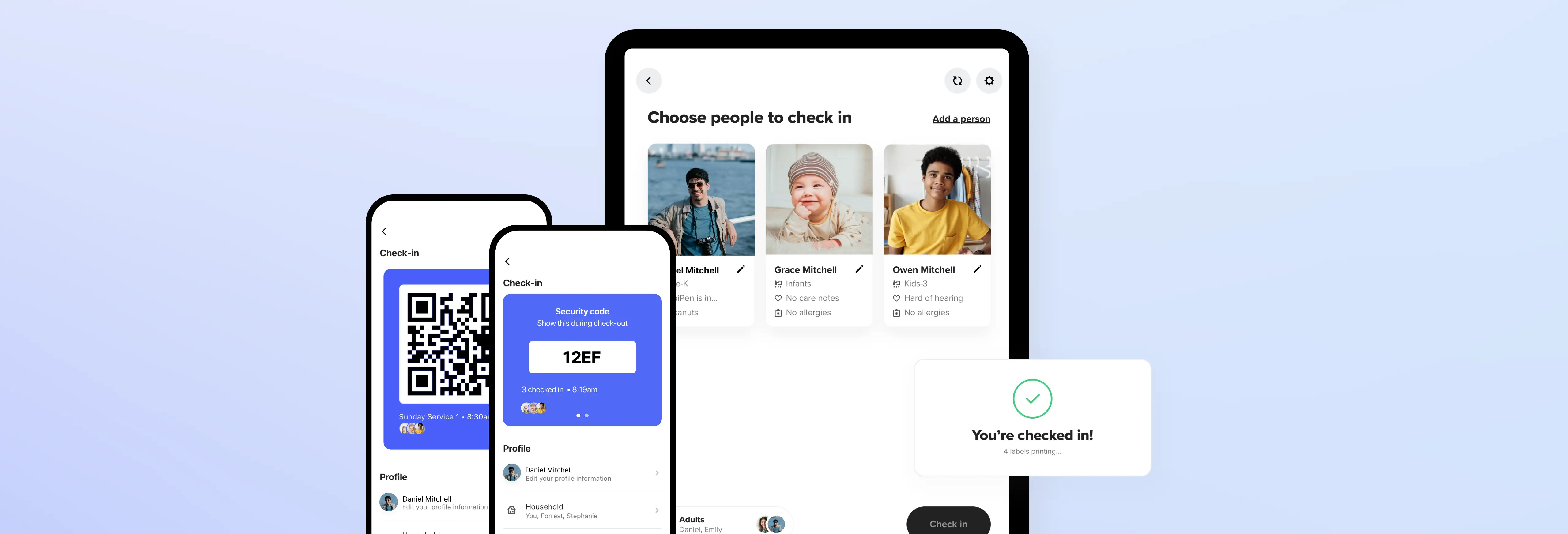
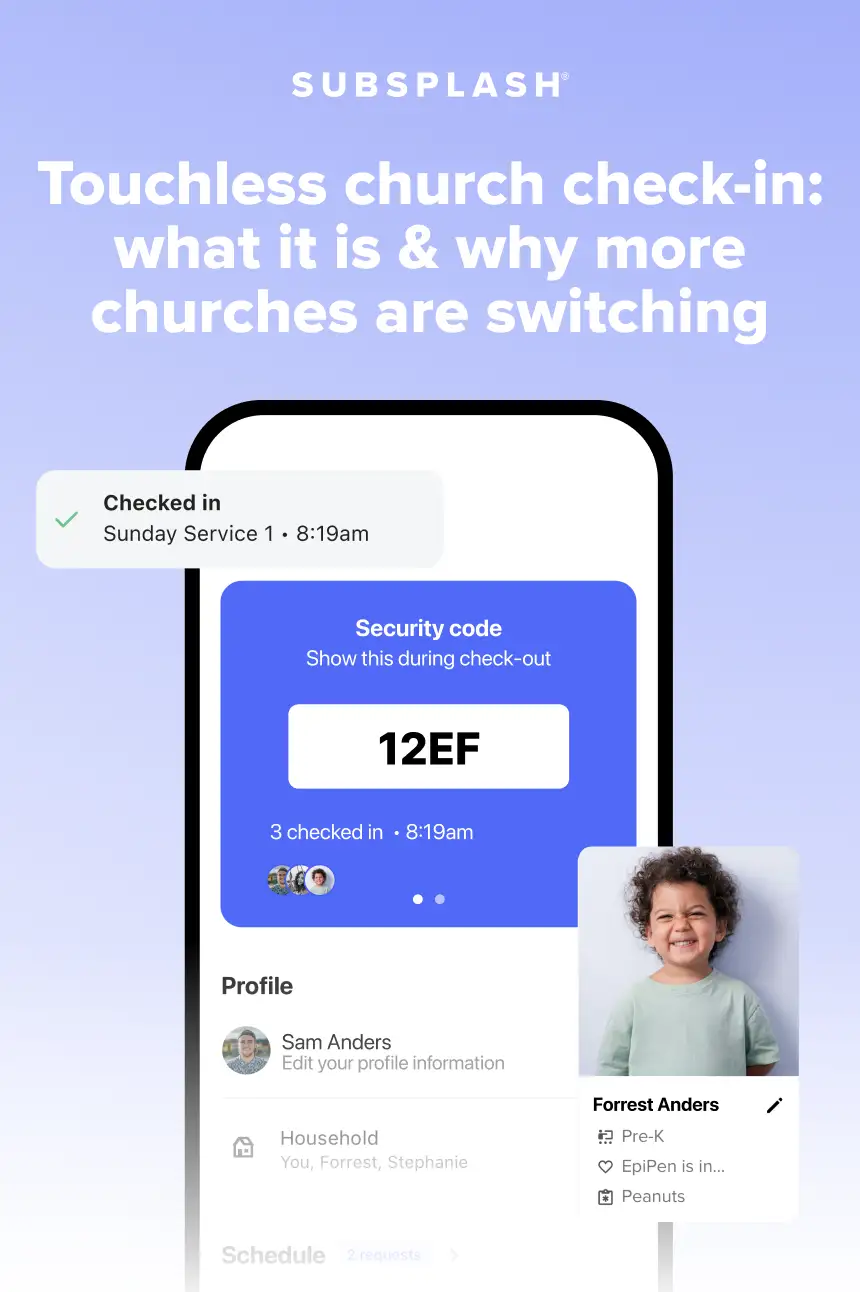
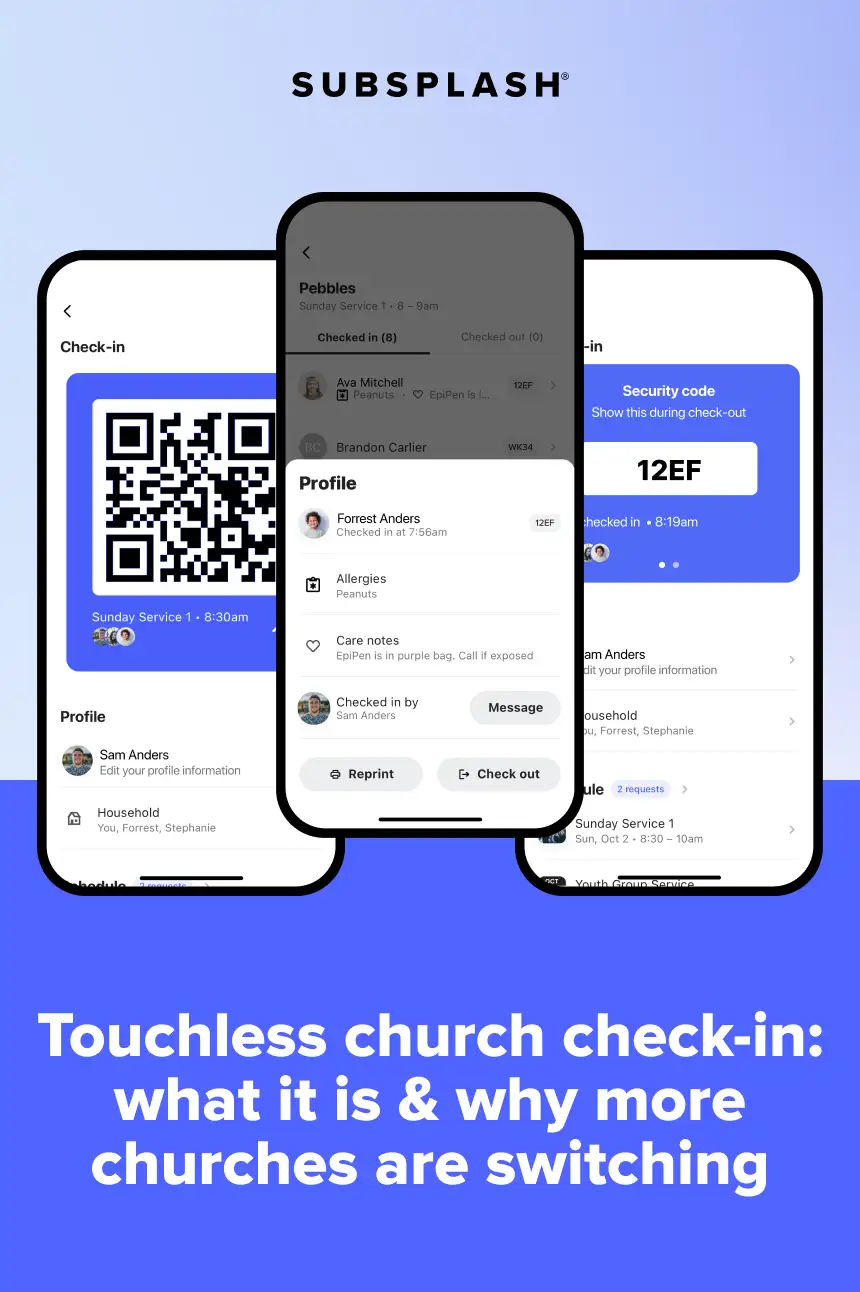
Touchless check-in simply shifts the manual effort to where it’s easiest: the parent’s phone. Instead of crowding around a shared touchscreen, parents open your church app on the way to church, choose which kids are attending, and generate a secure barcode or QR code. Once they arrive at your kids’ wing, a volunteer or scanning tablet reads the code. The printer instantly outputs the child’s name tag and matching guardian pickup pass, speeding up Sunday drop-offs and strengthening security.
Parents can handle the entry process on their own phones before they ever walk through your doors.
Integrated directly with your central church management database, check-in also keeps attendance records updated across small groups, giving, and events without extra admin work.
Upgrading to a mobile church kids check-in system removes physical crowding so your volunteer team can focus on welcoming families instead of troubleshooting touchscreen hardware.
A long check-in line is a safety risk
A crowded lobby creates real security risks for your children’s ministry. When dozens of families gather around a single table, volunteers struggle to verify who is entering the kids’ wing. Congestion creates distraction, making proper security protocols much harder to enforce during peak check-in times.
Implementing a contactless child check-in process directly solves this congestion. Parents complete the registration step on their own devices, which disperses the crowd. Families walk straight to a scanning station, grab their printed tags, and head to class. That gives your safety team a clearer view of the hallway. Volunteers can focus on welcoming families and checking guardian badges rather than troubleshooting hardware or typing in misspelled names.
How touchless check-in works, step by step
Transitioning to a touchless system sounds high-tech, but the actual routine on a Sunday morning is straightforward for both parents and volunteers. The process unfolds in a few simple steps:
- Pre-check on the way: Parents open the church app on their phones while at home or in the parking lot. They select their family members and tap to pre-check their children into their respective classrooms.
- Barcode generation: The app generates a unique, secure QR code on the parent’s phone screen.
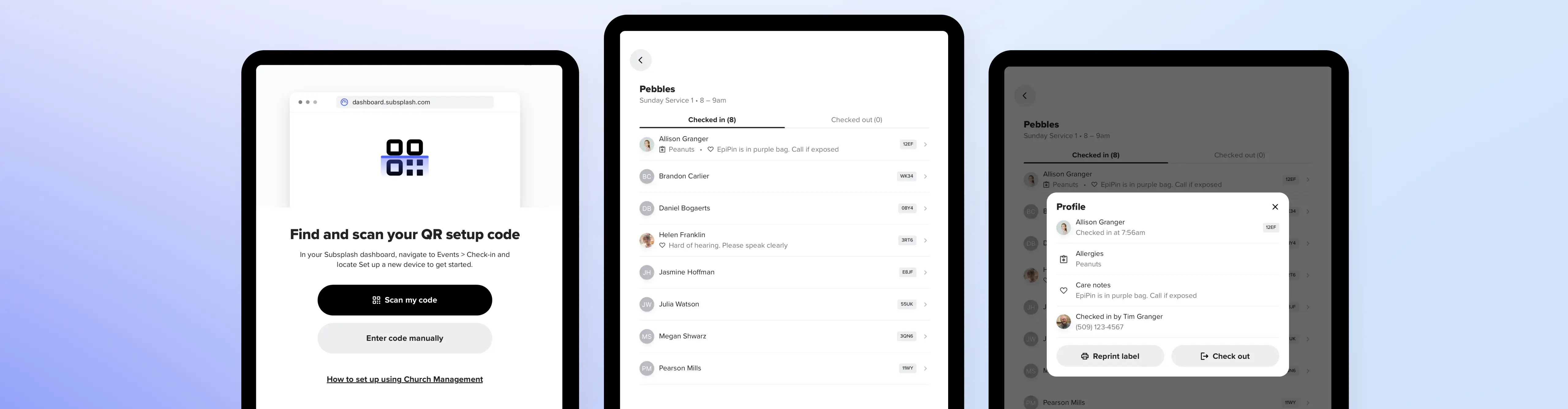
- A quick scan at the door: Upon entering the children’s wing, the parent holds their phone up to a tablet or handheld scanner.
- Instant badge printing: The printer immediately generates child name tags complete with medical notes or allergy alerts and a matching guardian pickup code.
By moving the data entry step to the parent’s phone, contactless child check-in cuts the physical interaction down to a fraction of a second. This smooth touchless church check-in routine keeps first-time guests from feeling overwhelmed by long lines while ensuring every child enters class safely.
Getting your volunteer team to actually use it
The biggest hesitation ops leaders have when adopting new church check-in software is volunteer adoption. Your Sunday team consists of faithful helpers with varying levels of comfort with technology. If a system requires complicated troubleshooting or frequent reset steps, volunteers quickly drop it in favor of paper rosters.
The key to volunteer adoption is simplicity at the station. Because parents do the heavy lifting on their personal devices, your volunteers only need to know how to point a scanner at a screen. You can train a new volunteer in less than five minutes: show them how to load paper into the tag printer and guide parents toward the scanner. When your church kids check-in system is intuitive, volunteers spend less time fighting with software and more time encouraging young families.

Connect check-in with the rest of your church data
Many churches evaluate check-in tools as standalone safety products. However, treating attendance tracking as a separate task creates data silos. When a new family checks in through a standalone app, their contact information sits trapped in that single tool unless someone manually exports and re-uploads spreadsheets on Monday morning.
A unified platform changes how your church uses Sunday data. When your church check-in software connects directly to your central database—like Subsplash Church Management (ChMS)—every scan updates a central profile. If a child attends three weeks in a row, your system can automatically prompt a ministry leader to follow up, invite the parents to a small group, or send a welcome text. Connecting check-in data to your complete church profile ensures no family slips through the cracks. Simplify your Sunday mornings and keep your children’s ministry secure. Explore Subsplash Church Management to see how your team can connect and follow up with every family.
Over 20,000 churches and organizations partner with Subsplash to engage their communities and enable daily discipleship. [.blog-contact-cta]Connect with our team today[.blog-contact-cta] to discover how unified technology can help you keep your church’s child check in process!

.webp)
