




.webp)

.webp)
.webp)


Over the last 20 years, ministry has become increasingly high-tech and high-touch. It can be overwhelming to manage in-person services, online livestreams, connection card forms, physical donations, hybrid small groups, and digital discipleship.
That’s why we’re here to partner with you to simplify your tech so you can multiply your ministry.
This year’s product event was full of new products and features designed to simplify your administrative burden and multiply your gospel reach.
Let’s dive in!

Church Management & Workflows
Subsplash is designed to be a different kind of Church Management Software—one kept updated by user engagement, not database administrators. We’ve spent the past several years improving aspects like Child Check-in and Custom Fields, and now Subsplash is ranked the #1 church management software on the G2 customer review site.
New: Workflows (beta)
One of the biggest releases this year is the first kanban-style work management feature built specifically for churches. It’s simple to build a workflow for any type of process in seconds, customize it with colors, instructions, checkboxes, due dates, responsibility assignments, and more.
Workflows can be used for people-based processes like new visitor follow ups, baptism interest, volunteer applications, donor appreciation, and more, ensuring that nobody falls through the cracks. But it can also be used for project-based processes like room requests, event preparation, announcement or creative requests, and more, so that projects are completed in order and on time.
Not only does it make the day-to-day work easier to follow, it makes it so much simpler to train volunteers, just show them the workflows, add in instructions, checklists, and due dates, and they won’t need to keep coming back to you to ask what to do next.
Workflows is integrated with other parts of Subsplash. For example, you can have a form entry kick off a workflow card automatically, assignees can get email notifications when they’re assigned a task, and more integrations are coming.
Workflows is now in an open beta starting today, so if you’re a Subsplash One user, you can find it in the navigation to get started! We’re continuing to work on more features like further integrations and automations, AI workflow creation, volunteer assignment, and more, so keep following for more!

Giving & Payments
Earlier this year, we took big steps forward in how the Subsplash platform handles non-charitable payments from events and payment forms. And just in time for end-of-year giving and tax statement season, we also simplified the process of accepting stock & crypto donations, tracking these alongside DAFs and QCDs, and made a number of improvements to tax statements.
Non-Charitable Payments
Most churches handle some form of non-charitable payments, whether it’s camp registration, coffee shops, merch tables, or other things. So we made several improvements for how these are inputted, tracked, and reported:
- Payment forms are more flexible and simple with flexible amounts, guest checkout, and mobile payments.
- For events with partial payments, balances can be paid off with offline payments and balance reminders can be sent automatically.
- Stay on top of everything with the all-new payment reporting page where you can filter, search, and export.
New: Stock & crypto in the giving experience
Starting today, through our partnership with Engiven, all Subsplash Giving customers can get stock & crypto giving for free, and now we’ve incorporated it into the giving experience. Donors who choose to give by stock or crypto will complete their gift through Engiven. You can choose to show stock, crypto, both, or neither in your giving settings.
New: Non-cash, DAFs, QCDs & more
Starting today, you can now enter stock & crypto gifts, as well as other cash equivalent gifts, in-kind donations, Donor Advised Fund contributions, and Qualified Charitable Distributions from an IRA account into Subsplash through donation entry. These can be tracked alongside other donation types and be used for campaign pledges, and show up in an IRS-compliant way on tax statements for proper thanks and acknowledgement of their generosity.
New: Household tax statements
Coming next week, you can now issue combined household tax statements for families and donors filing their taxes jointly, saving you time, effort, and printing costs! Combine households in People, and save their preferences for combined or individual statements. Combined statements will list who gave which gifts for easy reference.
Media & Pulpit AI
This year we added Pulpit AI to the Subsplash family and made several improvements to Subsplash Media.
Media
We made it possible to add live and on-demand media items as unlisted, which hides certain content from public view while keeping it shareable with a direct link.
The media player for web & embeds is more versatile than ever, allowing for volume control, customizable playback speed, and the ability to scrub backward on live streams.
Pulpit AI
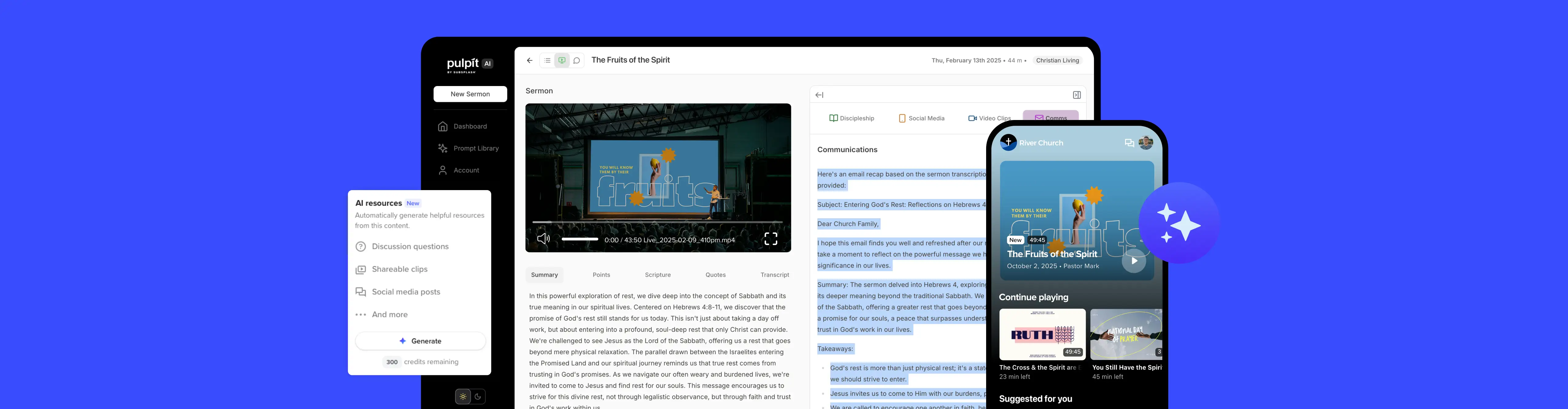
We acquired Pulpit AI in December 2024, and have worked on several enhancements to clip customization, speed, and reliability. We partnered with Southeastern University to provide Pulpit AI to its Bible & Theology students for their coursework and ministry work.
New: Media AI Resources powered by Pulpit AI
By integrating Pulpit AI into Subsplash Media, we now allow churches to turn any media item into discipleship gold with just a click. You can generate 20+ pieces of content from any video or audio item and share them with your team, using the power of Pulpit AI.
This means your whole Sunday media workflow can happen on one screen with no extra uploads. Livestream, trim, publish, and generate AI resources in a seamless flow. Starting today, any Subsplash Media user can try it out on any media item in your library, with two free credits to start, and upgrade anytime.
Apps & Engagement
The heart of the Subsplash platform is to make it easy for anyone to engage with churches, so this year we continued to make it easy to encourage engagement in all forms.
Subsplash Tap
Engage your community with just a tap by adding Tap discs to seatback or entryways, and Tap stands to connection tables and merch booths. You can customize the design of the discs and stands, and update the links anytime through the Subsplash platform.
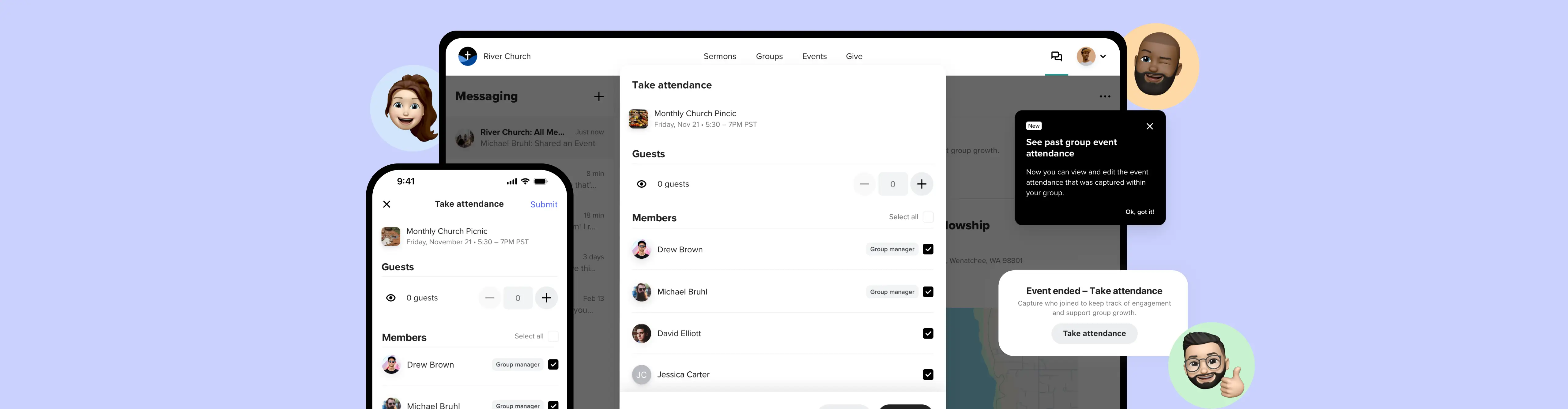
New: Group Management & Attendance
Small groups, Bible studies, and other groups are more than just a group chat. This year we introduced Group Events, and soon group event attendance to allow your leaders to shepherd their people toward connection and belonging. Starting in December, you can track attendance and watch growth happen over time. More Group Management features are coming soon, like event RSVP and attendance analytics.
New: Phone Number Login
To make it as easy as possible for donors, app users, group members, and volunteers to participate as possible, they can now log in with just their phone number and a one-time passcode, no password required. Existing users can verify their phone numbers to simplify their login in the future, and new users can sign up with just their phone number and an email address. Our team is actively updating apps to the latest version to access this feature.

Integrations
The Subsplash platform integrates with several other church solutions, including Rock RMS, Ministry Platform, StudioC, Pushpay ChMS (Church Community Builder), MortarStone, and Planning Center. Talk to your CSM about adding the Pro Package to enable integrations and API access.
New: Rock RMS
We recently made big improvements to our Rock RMS integration, allowing Rock to process payments and donations through Subsplash.
New: Zapier
We have a new integration with Zapier which allows you to trigger over 7,000 Zapier integration partners from several dozen Subsplash webhooks, for incredible customization options with little development required.
Coming Soon!
Updated Planning Center Integration
We’re currently rebuilding our Planning Center integration and we’re excited to share it with you in the next couple of months. These improvements will make your workflows smoother and more reliable, helping you save time and stay focused on what matters most.
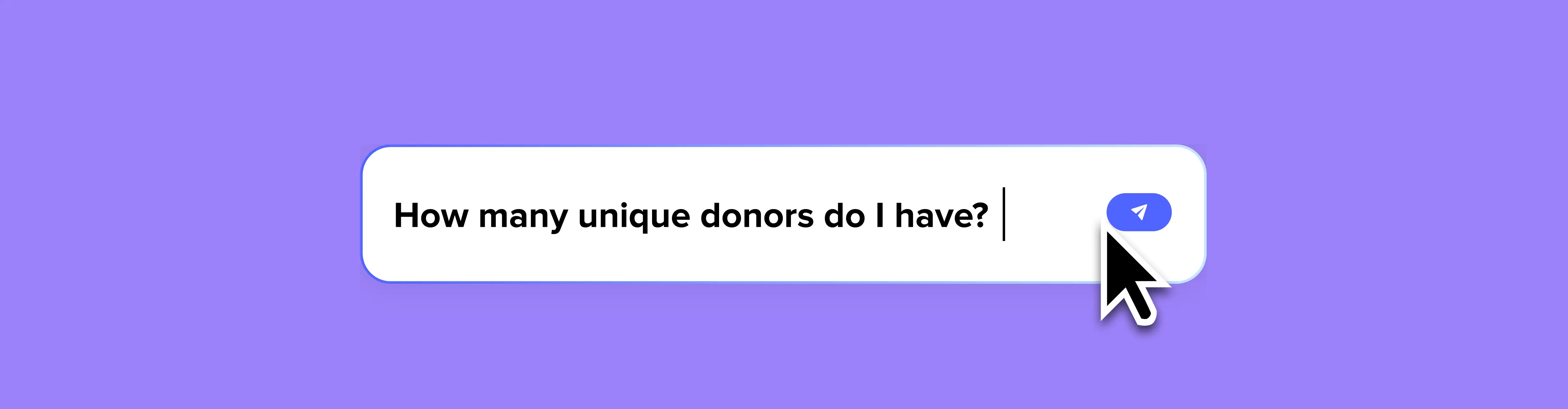
Communications Hub
We are simplifying the way you use Subsplash to communicate with your community by bringing together emails, SMS, and push notifications into a single Communications Hub.
Our commitment to you: Simplify to Multiply
At Subsplash, our commitment remains simple: to relentlessly build the best technology so you can focus on multiplying your ministry. Every product we release is designed to simplify your administrative load and expand your reach.
We are continually developing new products and updates, and we are thrilled for you to start using these latest advancements.
Ready to Explore?
Discover more: Watch the full 2025 Subsplash Product Event video here!
Need help getting started? [.blog-contact-cta]Schedule some time to connect with our team.[.blog-contact-cta] We'd love to answer any questions you may have!
Already a Subsplash client? Your Client Success Manager is ready to help you implement and master these new features. Simply login to your Subsplash dashboard today to get connected.

.webp)


.webp)
.webp)